
Each year at WWDC, Apple’s Worldwide Developers Conference, the company showcases what’s next for its biggest platforms — iOS, macOS, and more — and what developers can do to make apps and services for them. Let’s take a look at two key announcements made at the keynote address on Monday, 5 June 2023.
Apple Vision Pro, a new headset
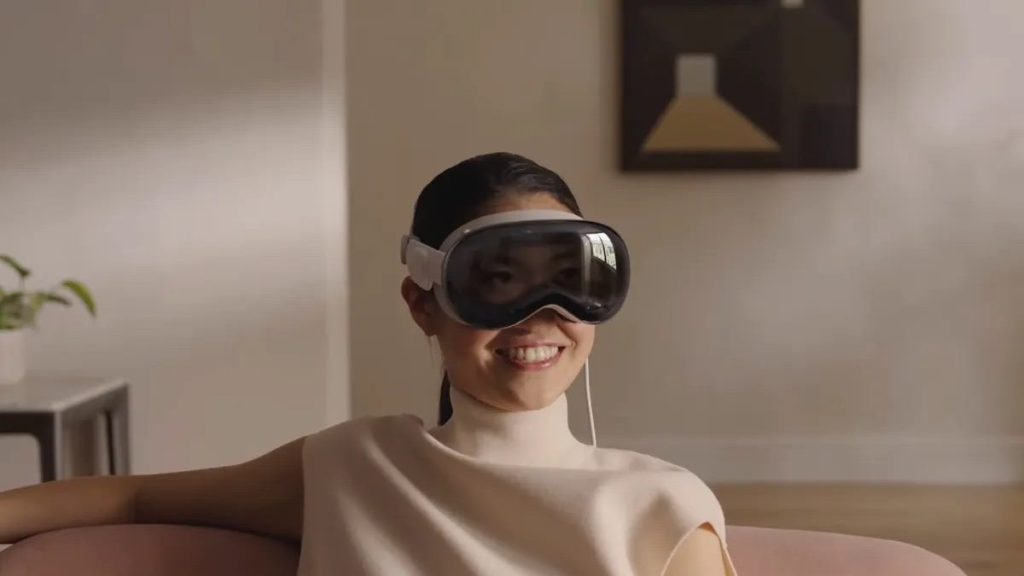
The Vision Pro is a personal display on your face with all the interface touches you’d expect from Apple, with an operating system that looks like a combination of iOS, MacOS and TVOS.
The device itself looks like other headsets, though the glass front hides cameras and even a curved OLED outer display. The headset is secured to the wearer’s head with a wide rear band. You also have an external battery back that connects over a cable and sits in your pocket. There’s a large Apple Watch-style digital crown on the right side that lets you dial immersion (i.e. the outside world) in and out.
The Vision Pro has three-element lenses that enable 4K resolution, though you can swap out lenses, presumably for different vision capabilities. Audio pods are embedded within the band to sit over your ears, and “audio ray tracing” maps sound to your position. A suite of lidar and other sensors on the bottom of the headset track hand and body motions.
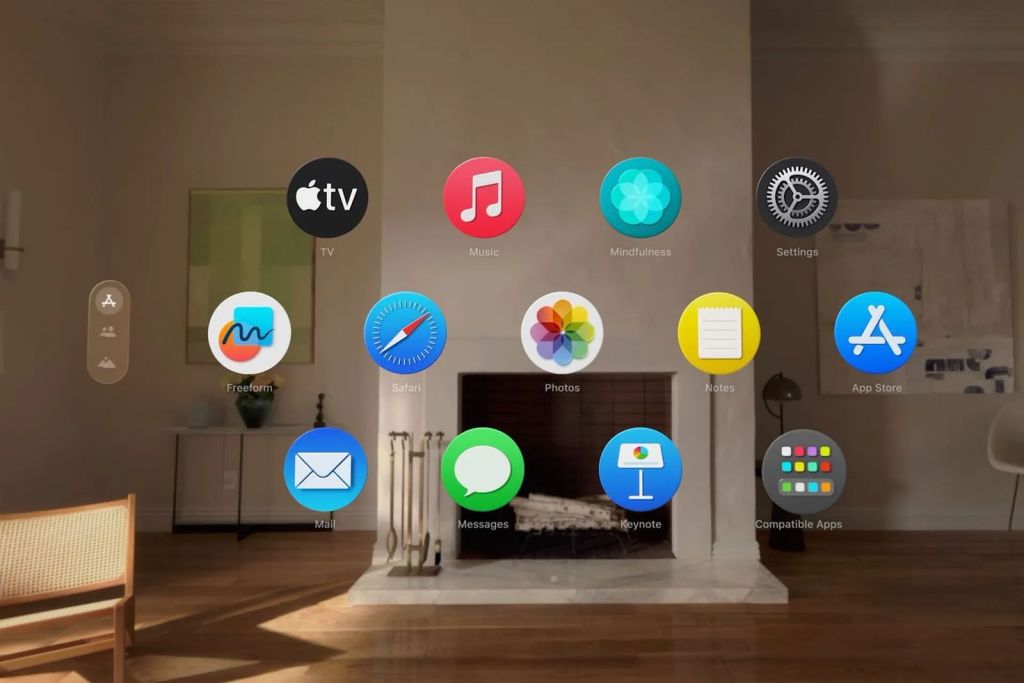
Technically speaking, the Vision Pro is a computer, with an M2 chip found on Apple’s highest-end computers. But a new R1 chip processes all the other headset inputs from 12 cameras, five sensors and six microphones, and sends it to the M2 to reduce lag and get new images to its displays within 12 milliseconds. The Vision Pro runs the new VisionOS, which uses iOS frameworks, a 3D engine, foveated rendering and other software tricks to make what Apple calls “the first operating system designed from the ground up for spatial computing.”
Interior cameras track your facial motion, which is projected to others when on FaceTime and other video chatting apps. The interface uses hand motions to control the device, though there are also voice controls. It’s tough to tell how these controls will work, and we’d expect that users will need some time to adapt to not using a mouse and keyboard.
There is a lot more to this stunning device, take a look at ’s video introducing Vision Pro Introducing Vision Pro
Every single person who reviewed the device after the keynote were left mesmerised by the experience. However the one key thing that could be an issue is that it is SUPER EXPENSIVE. It will retail for $3,499. For comparison, Meta announced its Quest 3 last week at the price point of $499, while its Quest 2 is retailing for $299. Of course the Vision Pro is way more impressive than the Quest in terms of hand tracking, integrating with the ecosystem and much more. With micro-OLED displays, spatial audio, a 3D-like camera and many other high-end features, it’s no surprise that the Apple Vision Pro is a bit on the pricey end. So, it might be more designed for enterprise users than ordinary consumers.
And while everyone agrees $3,499 is a huge amount of money, that doesn’t mean people won’t buy it. Where the discussion actually lies is whether or not the Vision Pro is worth that astronomical asking price. Would you be willing to pay $3,499 to get your hands on an Apple Vision Pro headset? Let me know in the comments below.
iOS 17
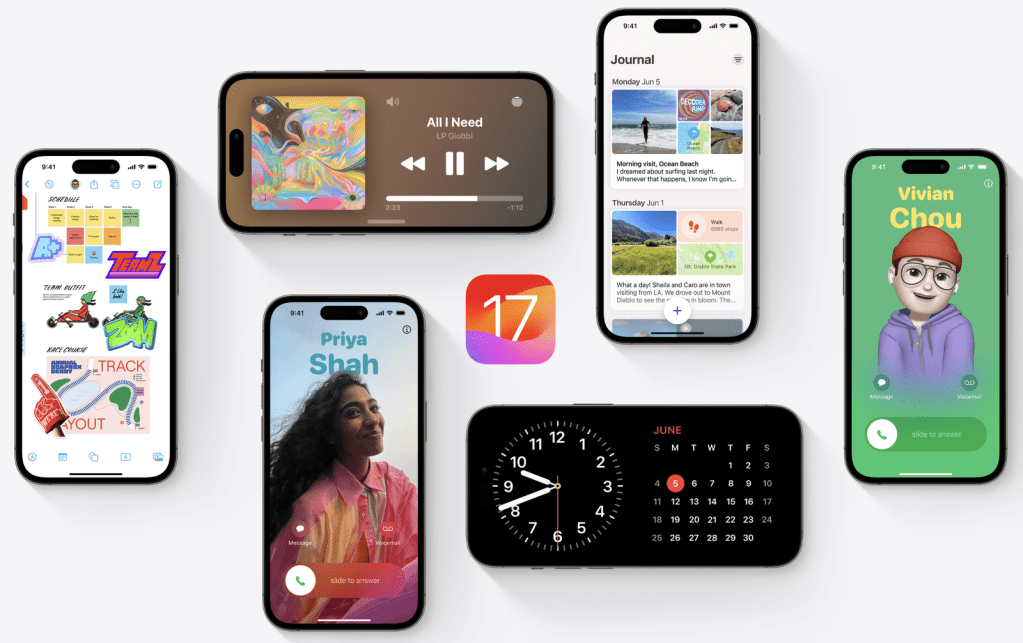
claims that iOS 17 brings a ton of quality-of-life improvements. However only a few key updates got me excited.
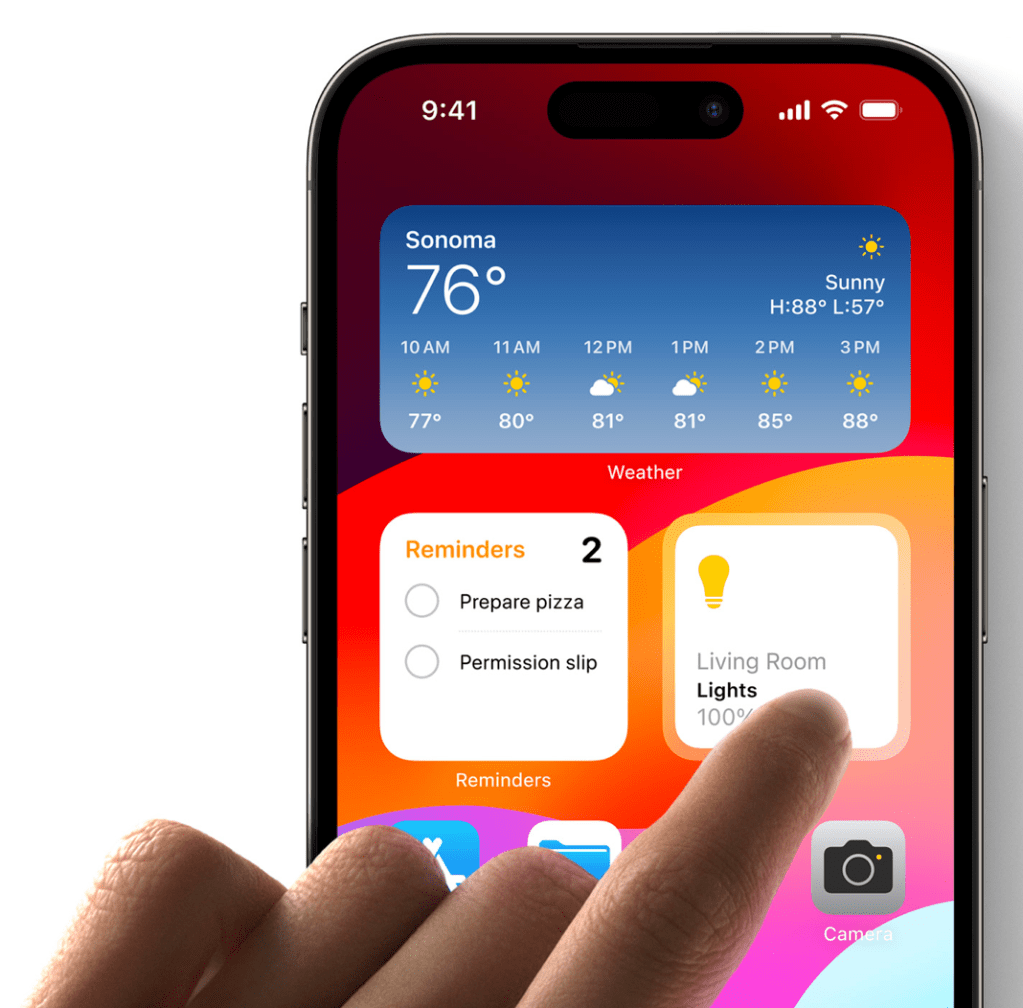
- Interact with a widget from your Home Screen, Lock Screen, or in StandBy. Complete a to-do, play or pause a song or podcast, or access your Home controls to get tasks done in the moment.
- A new safety feature, Check In, sends a note to a trusted contact when you reach a location — like when you make it home safe after late-night travel. If it’s taking you longer to get to a destination, you’ll be prompted to extend the timer rather than alert your contact. It also shares your battery and signal status. Check In is end-to-end encrypted.
- The Photos app now recognizes your pets, such as cats and dogs, and places them in the people section.
- AirDrop has been a helpful tool to send files between Apple devices, but now you can share your contact info with Name Drop. You can choose what you want to share between email addresses, phone numbers and more.
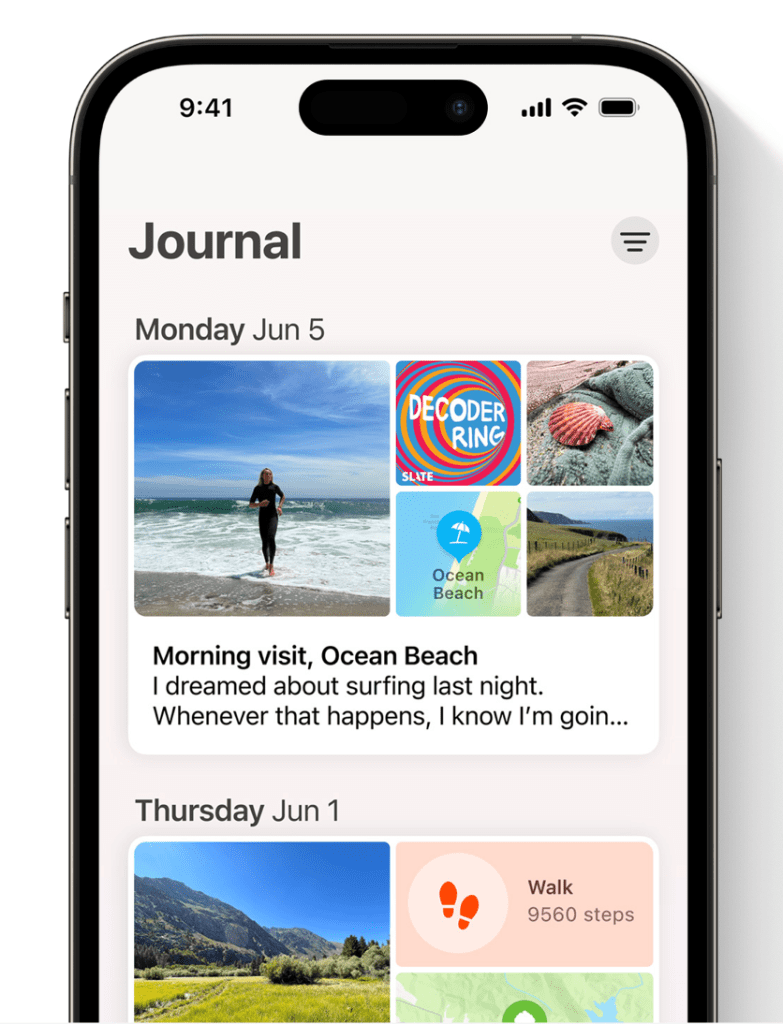
- Journal is a new secure app for personal recollections. Apple is pitching it as a gratitude exercise, but iOS will auto-include activities like songs and workouts you’ve done to your personal log.
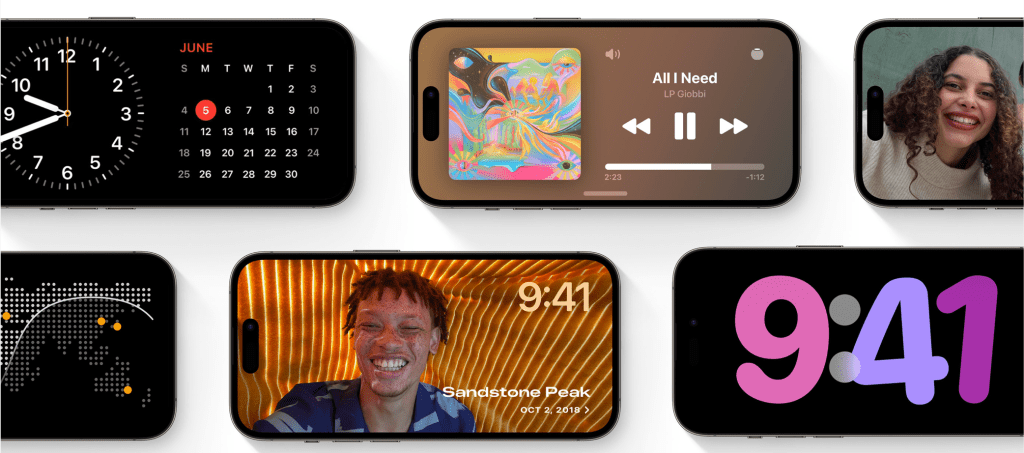
- A new mode, StandBy, converts an iPhone to an alarm clock when it’s charging and rotated horizontally. It gets smart interactions like a large visible clockface along with calendar and music controls.
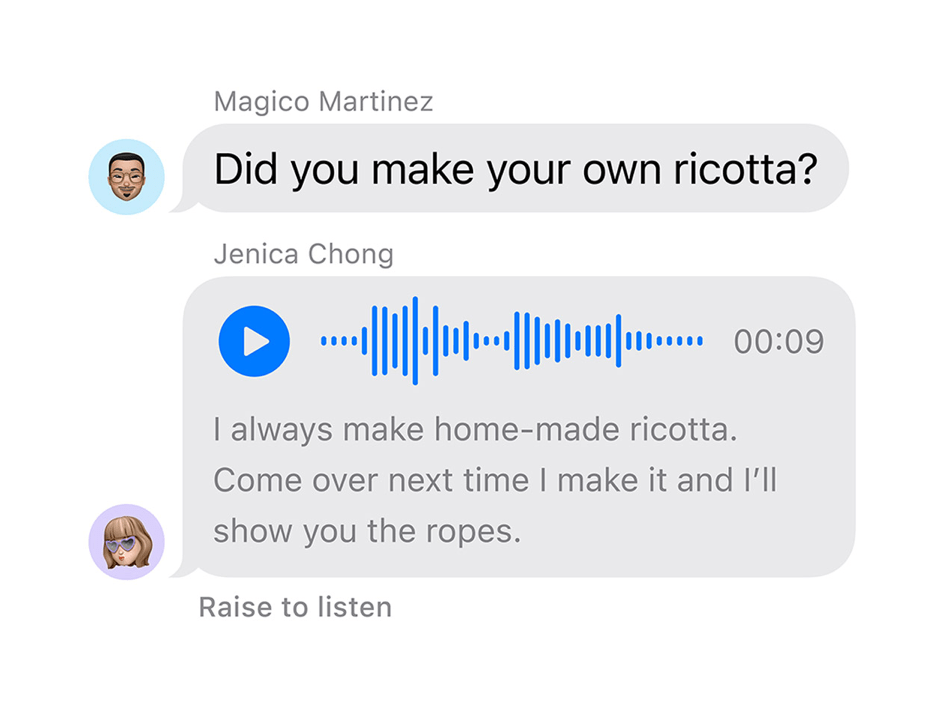
- Audio messages are now transcribed, so you can read them in the moment and listen later.

Unlike previous iOS announcements, this one left me feeling disappointed.
There were many other updates announced. Which ones did you like or think are pretty cool? Let me know in the comments below.
 Kenrick Vaz