

Power Virtual Agents (PVA) has been popping up in conversations for a few months now and I’ve always been meaning to try it out. We have an ongoing proposal for developing a chatbot. And once again PVA was mentioned. This was the perfect time to try it out. I set myself a target of completing this in half a day! I’ll let you know at the end if I managed or no! ;)
First a very brief intro to Power Virtual Agents (PVA). It is a user-friendly, no-code/low-code platform developed by Microsoft that empowers organizations to create and deploy AI-powered chatbots and virtual agents without the need for extensive coding or technical expertise. These virtual agents can be used to automate a wide range of customer service, support, and business processes, enhancing customer engagement and operational efficiency. A few key things before we go ahead
- PVAs seamlessly integrate with Power Apps, Power Automate, Power BI which allows you to connect your virtual agent to various data sources, automate processes, and gain insights from your chatbot interactions.
- PVA offers a library of pre-built templates and content, making it easier to get started with common use cases like customer support, appointment scheduling, FAQs, and more.
- You can deploy your Power Virtual Agent on various channels, including websites, Microsoft Teams, Facebook, Slack, and more. This multi-channel support ensures that your virtual agent can reach customers on their preferred platforms.
- Power Virtual Agents adheres to industry standards and offers features like authentication, authorization, and data protection to ensure that your chatbot interactions are secure and compliant with relevant regulations.
- PVA is designed to scale with your organization’s needs. Whether you need a simple FAQ chatbot or a complex virtual agent handling intricate processes, Power Virtual Agents can accommodate your requirements.
The Usecase
Well what bot do I build? For the last few months our CX Studio has been doing assessments for clients and one piece of the mobile section is summarising the concerns/issues from the feedback on the App Store and Play Store. We’ve been doing this manually, using Chat GPT to summarise the reviews. I finally got down to automating it last week by developing a Lambda which would fetch reviews and summarise it using Open AI services.
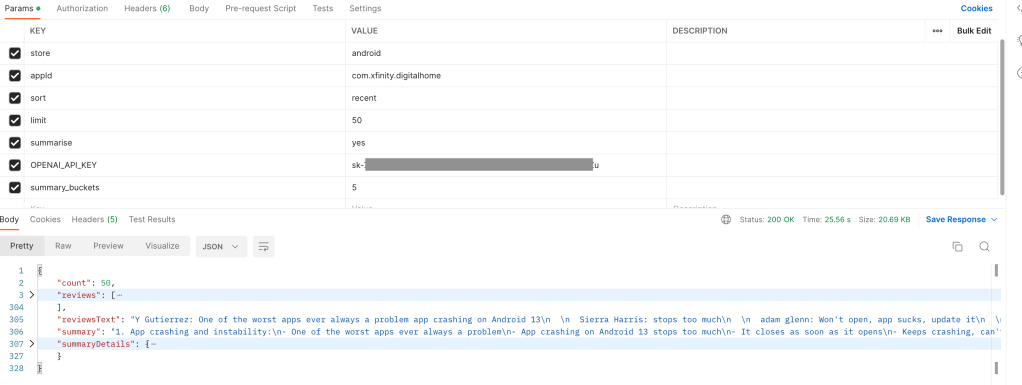
So for my bot I thought why not use this endpoint to make it easy for us to get our mobile app summaries on Teams and that is how MARS was born! MARS is Mobile App Review Summariser (MARS!) :)
I have developed chatbots on Dialogflow, Azure’s QNA Maker, RASA to name a few and since I heard that the Power platform is very intuitive and designed for non-techies, I decided to explore it on my own without following any tutorial. On signing up, I created my first bot and saw a few pre-filled topics, entities.
I started off with my new topic, gave it a name and added a few phrases.
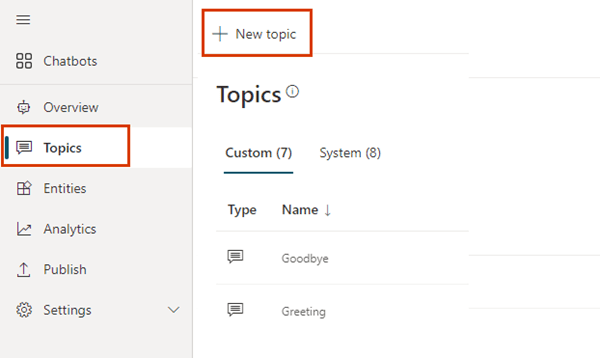
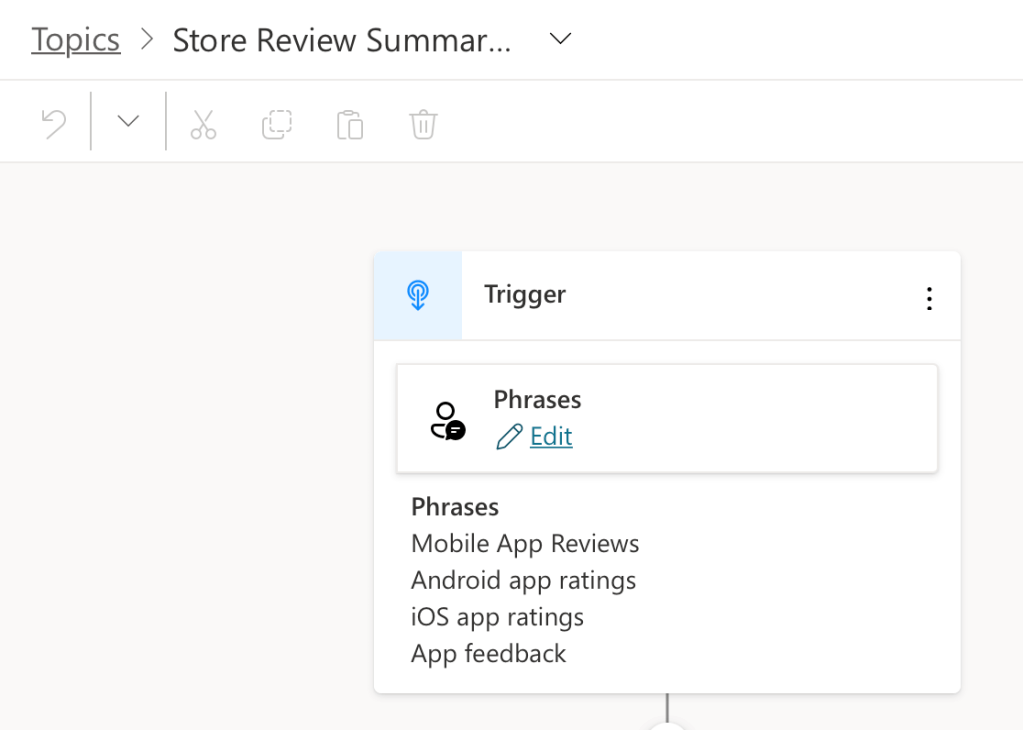
I was quickly able to add a few nodes to collect details I needed.
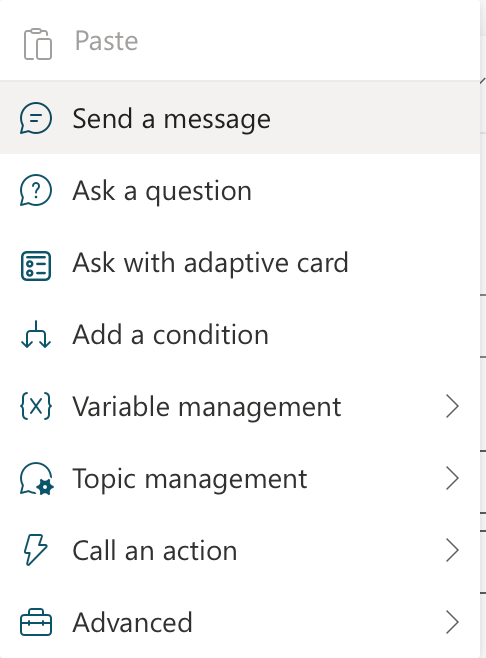
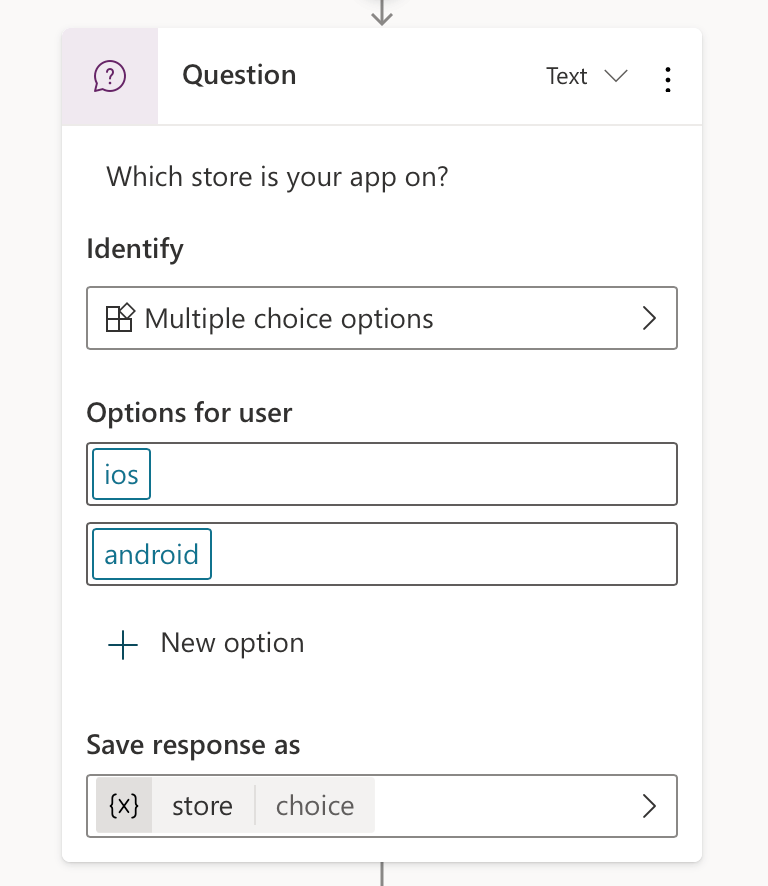
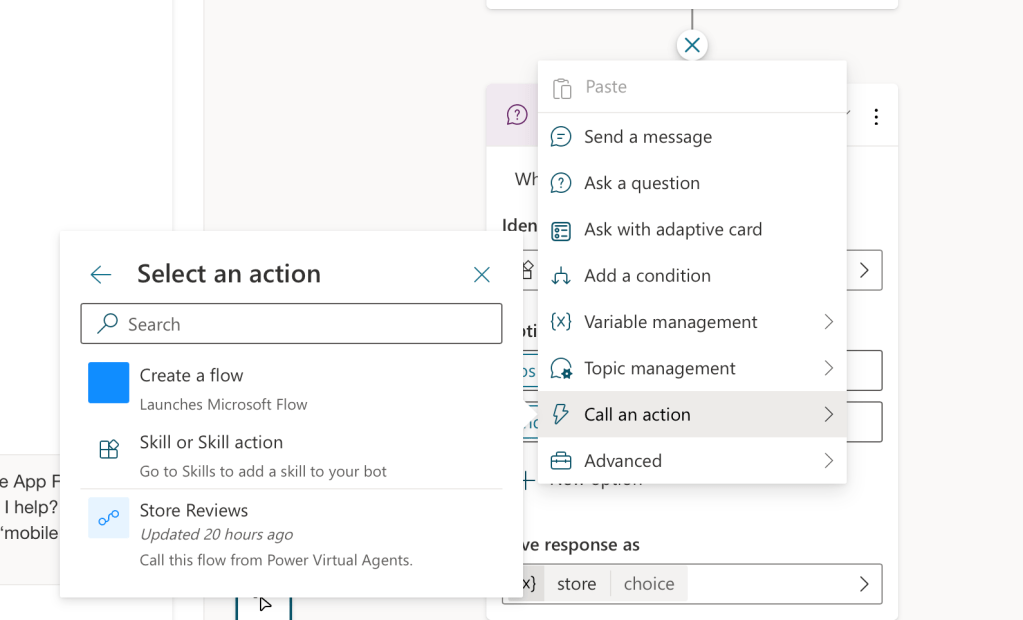
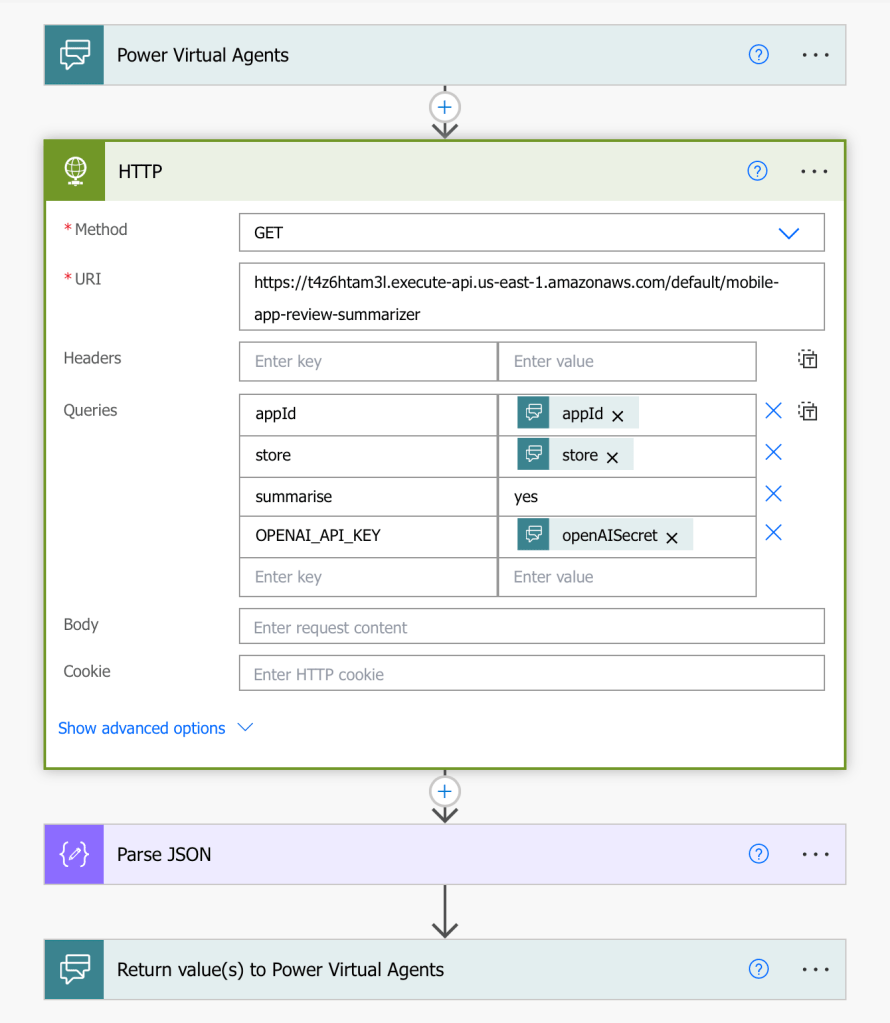
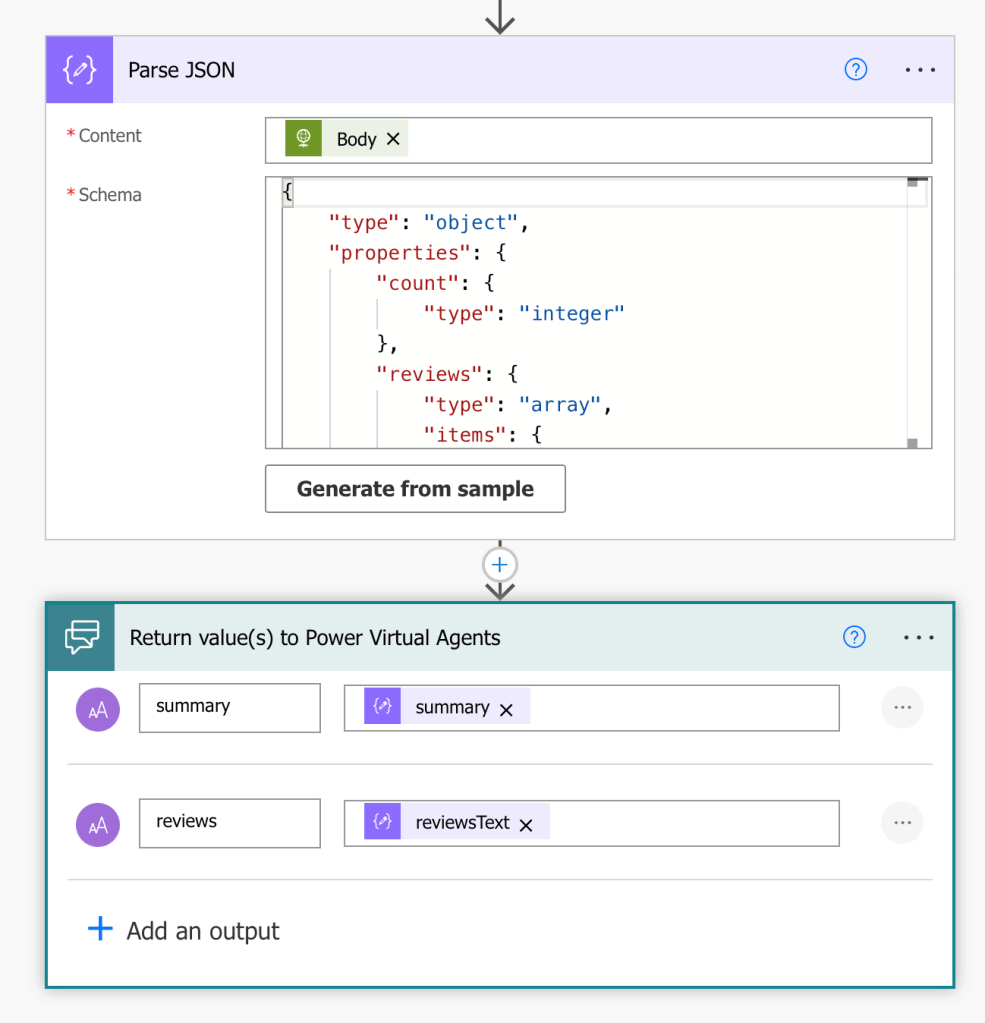
The next interesting bit was calling my API. Here is where PVA has the ability to add flows from Power Automate. This again was a new platform for me. I went ahead and was able to add my Store Reviews flow where I added the HTTP action, parsed my response and returned the two keys my bot needed. Here is where I needed help with parsing the response, had to visit our dear friend StackOverflow for assistance! :)
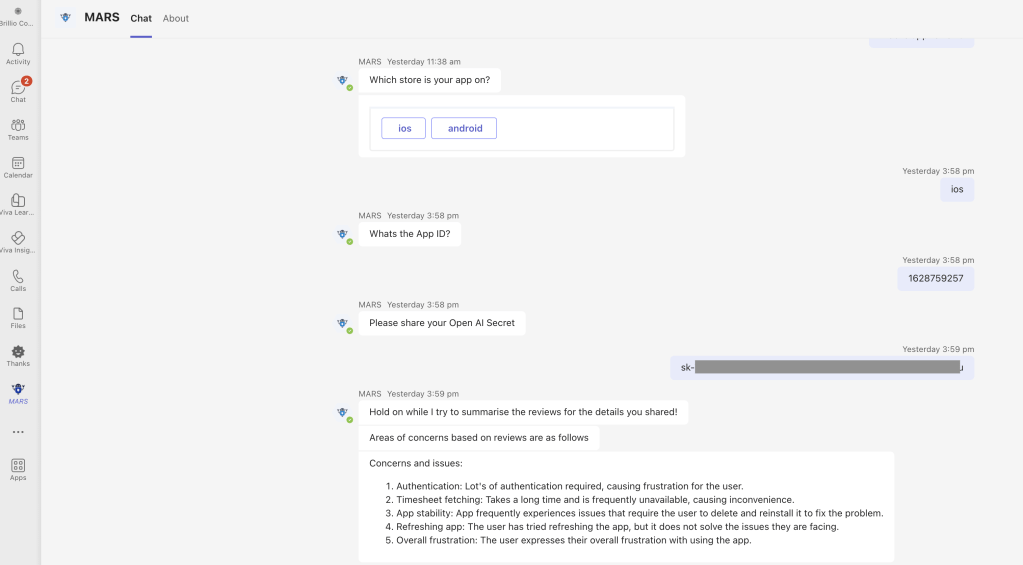
Once I was ready, I published my bot and there were a host of channels which I could configure. Below is a recording of a cool demo site that PVA provides and a screenshot on Teams. The bot is for reviews of our company iOS OnTheGo app on the App Store
Takeaways:
- The PVA interface is intuitive, it wasn’t too difficult to quickly setup my conversation flow
- Integrating with Power Automate was the one step that took some time to figure out
- And yes, I was able to finish this in half a day as planned, but that’s only because I had my API ready! :)
There is still a lot more to explore in terms of security, navigating between topics, handing off flows to live agents and much more. Yes, the bot I developed is very very basic, but our team will definitely be using it and we will be building on this in the coming weeks.
If you’ve made it so far thank you! Happy to hear your experience with PVA or if you plan to try it out? Let me know in the comments below! :)
 Kenrick Vaz