Earlier when I saw this picture…. didn’t understand the meaning behind it… .
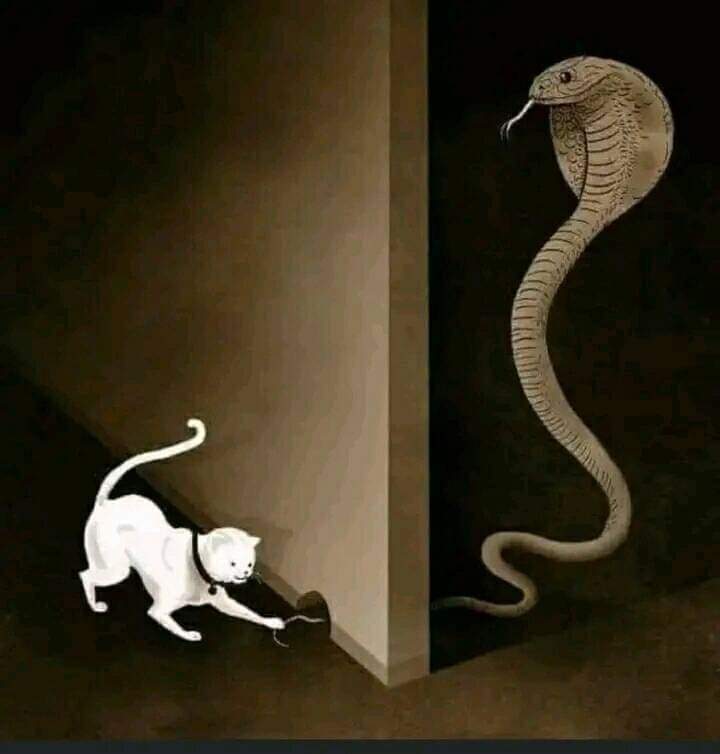
It turns out that the cat has seen a snake’s tail sticking out of a small hole and the cat thought that it was a rat’s tail, so he wanted to pull it and tease it until it came out… .
Then I realized that… This photo is the work of the famous Italian illustrator Marco Melgrati.
The meaning of his painting: “You never know who you’re playing with, without knowing the risks, because we are packed with today’s qualities like ignorance, show-off, hard work, quick solutions etc.”.
In today’s fast & busy life, what we see is only a tiny fraction of the truth….
If we see others suffering of health closely, their lives burdens on others, chasing hope, counting days, away from joy of celebrations, away from charm & professionalism etc. etc.
What are we doing? We consider health conditions as rat’s tail & never guess that the real cobra behind the wall.
So give priority to your health. Never ignore your health conditions. Don’t play with cobra’s tail by considering it as a rat’s tail. Finally, life does matter, so health is important.
Remember this picture: You can’t see the whole picture. If you could see the whole picture, you would understand that what we think of small, is actually much bigger than us.
How many times do you find yourself wishing you could just erase some of the past? Erase the bad choices, mistakes, disappointments? Been there, made the wish (a couple of times) myself.
Until I grew older. Then the memories of all experiences and choices became treasures. The kind we can take out and in hindsight realize that those were the only choices we had, at that moment.
And we lived through them. We survived them. With some scars to show, even though most of those scars we carry on our hearts.
And then I realized – if we remove our not-so-good choices (or as we like to call them – mistakes) from the past, we will be removing all our present wisdom we have gathered through these very experiences.
All we have to do is remember the lessons we learned, not the disappointments we lived through.
The internet, once considered a luxury, is now an integral part of our daily lives. From work to education, entertainment to social interaction, it serves as a gateway to a vast array of opportunities. However, amidst the digital revolution, it is essential to recognize that not all users experience the online realm in the same way.
Web accessibility, at its core, is a commitment to breaking down digital barriers. It aims to ensure that websites and applications are designed and developed in a manner that allows everyone, regardless of ability or disability, to perceive, understand, navigate, and interact with the digital content seamlessly.
There are many different ways to test for Web Accessibility, and one very effective one is by using Chrome DevTools. Let’s dive right in.
Automated Testing with Lighthouse Accessibility Audit
A good first place to start your Accessibility testing journey is automated testing. Accessibility tests are build into Lighthouse, so at the same time you are running your performance tests, you can check Web Accessibility.
Be ware that automated tests don’t necessarily catch all the bugs and a perfect score doesn’t equal a perfect website, but it’s a great first start and catches a lot of issues already.
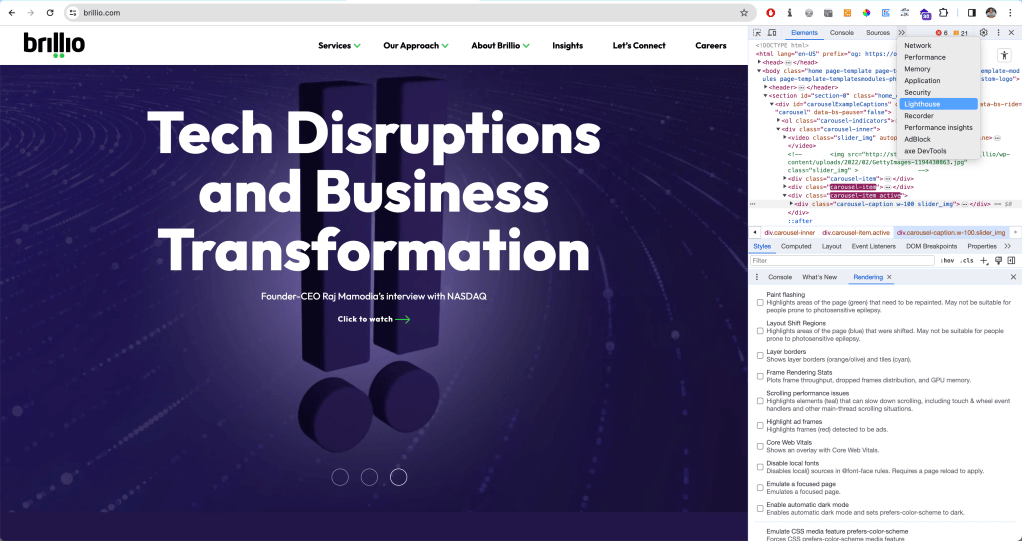
So let’s have a look at the Lighthouse test first. To get start the test:
After opening up your DevTools
You might have to expand using the arrows >> for further options
Select Lighthouse test
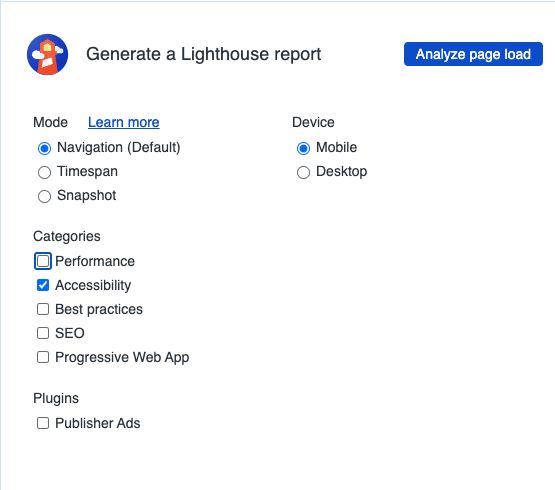
Next, select the tests you would like to run, you can also only opt for Accessibility Audit.
Opening up Lighthouse in the Chrome DevTools
Running an Accessibility Audit with Chrome DevTools
The audit will return a score out of 100 and include a list of all the accessibility issues that need to be fixed. For each issue, you will find additional information and further resources to find out more.
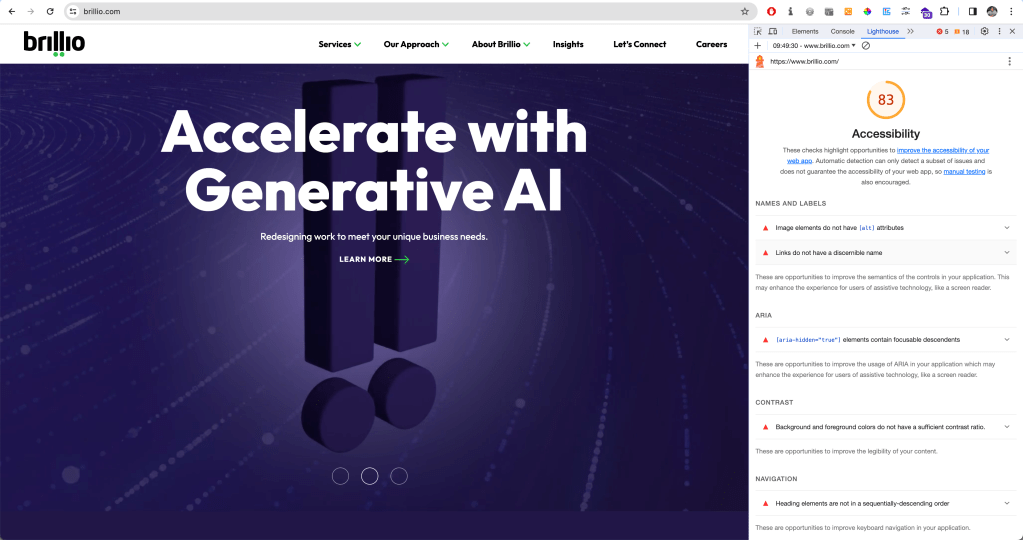
For the purposes of this article, I thought I’d test my organisation’s website brillio.com. Pretty good score for accessibility! :)
Lighthouse score for brillio.com with a list of accessibility issues and how to fix them
Among the most common issues are missing alternative text, empty links, or insufficient color contrast.
Manual Testing with Chrome DevTools
Once we are done with our Lighthouse test, we can have a look at our page by testing manually. There are many ways to do so, tools and extensions – and one of the ways is directly in the Chrome DevTools.
Accessing the Accessibility Pane in Chrome DevTools
In the Elements tab, at the bottom, there is a whole Accessibility Tab. To get there,
Select an element you would like to inspect.
Open the Elements Tab
At the bottom right, there is the Accessibility Pane. (Again, it might be hidden behind the >> arrows)
Open it up.
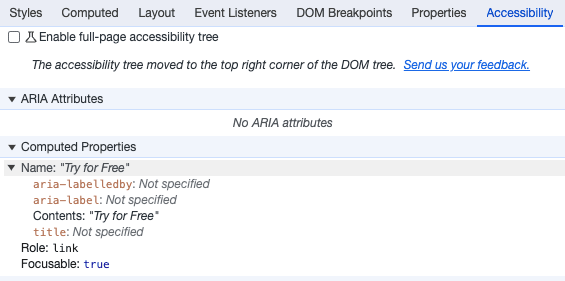
Here, you will find additional information about the ARIA labels, name, role, and computed properties.
We can even enable a full-page accessibility tree for our elements. By checking the corresponding box in the accessibility pane, a new icon with a figure will appear in your elements tab at the top right corner. You can toggle it to turn the accessibility tree view on and off. You might have to reload the DevTools to enable it.
With this view, you will get an overview of what a screen reader or assistive tech will work with: the accessibility tree. This enables you to investigate accessibility issues at the sources: Why is no label announced with a screen reader? How did the tab order get messed up?
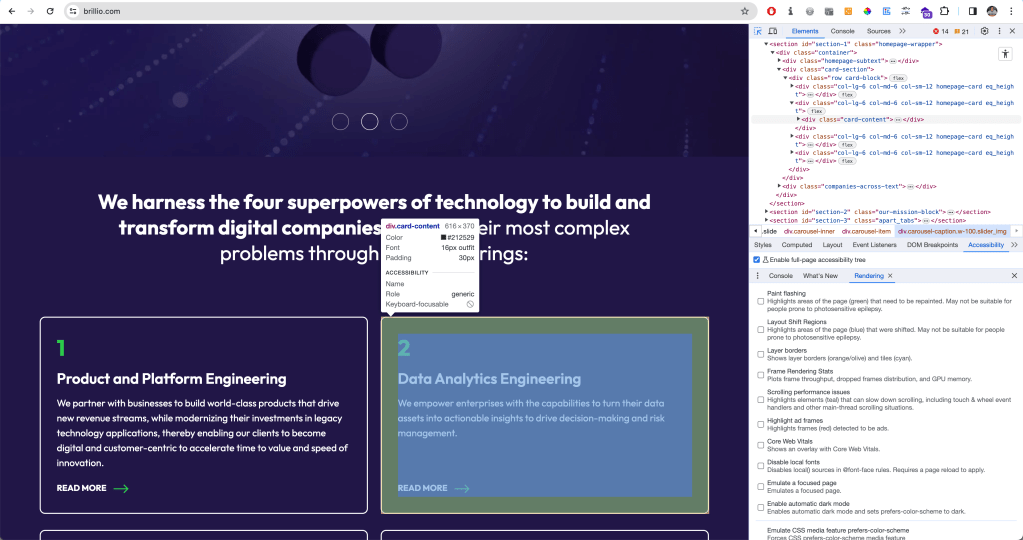
Accessibility Context when inspecting Elements
You can even see a lot of this information when inspecting elements by hovering over them. The tool tip will give information on color contrast, keyboard accessibility, name, and role at a glimpse.
Checking Color Contrast in Chrome DevTools
You can inspect the color contrast of a text element against the background within the DevTools. When you select the element and click the color code or example square in the Styles tab, a color picker opens up, letting you experiment with the color selection. It also provides a contrast ratio and a symbol to indicate whether your contrast ratio is sufficient (higher than 4.5:1 in compliance with WCAG AA standard).
Emulate Vision Deficiencies
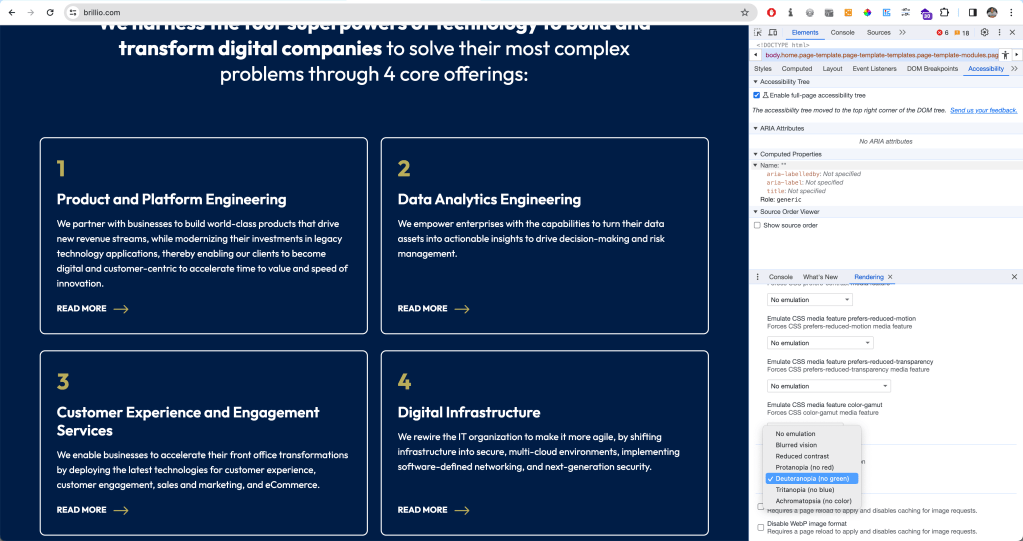
DevTools has a feature to emulate vision deficiencies such as blurred vision, reduced contrast, or red-green color blindness to the page you are currently visiting. To enable this, in your DevTools, press Cmd + Shift + P in the console ( or Ctrl + Shift + P on Windows) to open up the Command Menu. Select or type ‘Show Rendering’. All the way at the bottom, you will find the option to emulate vision deficiencies.
Emulating for users who have Deuteranopia, they can’t see green
Of course, this is not a 100% accurate representation of what a website might look like for different kinds of users – but it is a really good start to simulate different kinds of experiences.
Conclusion
Chrome DevTools offers a great way to test for Web Accessibility directly in the browser – without the need to use additional tools or install extensions. Is it the only way to test for accessibility? Absolutely not. But it’s a solid place to start. It offers both automated tests and options for manual testing, and you can get a lot of info about accessibility on the fly via the tooltip when inspecting an element.
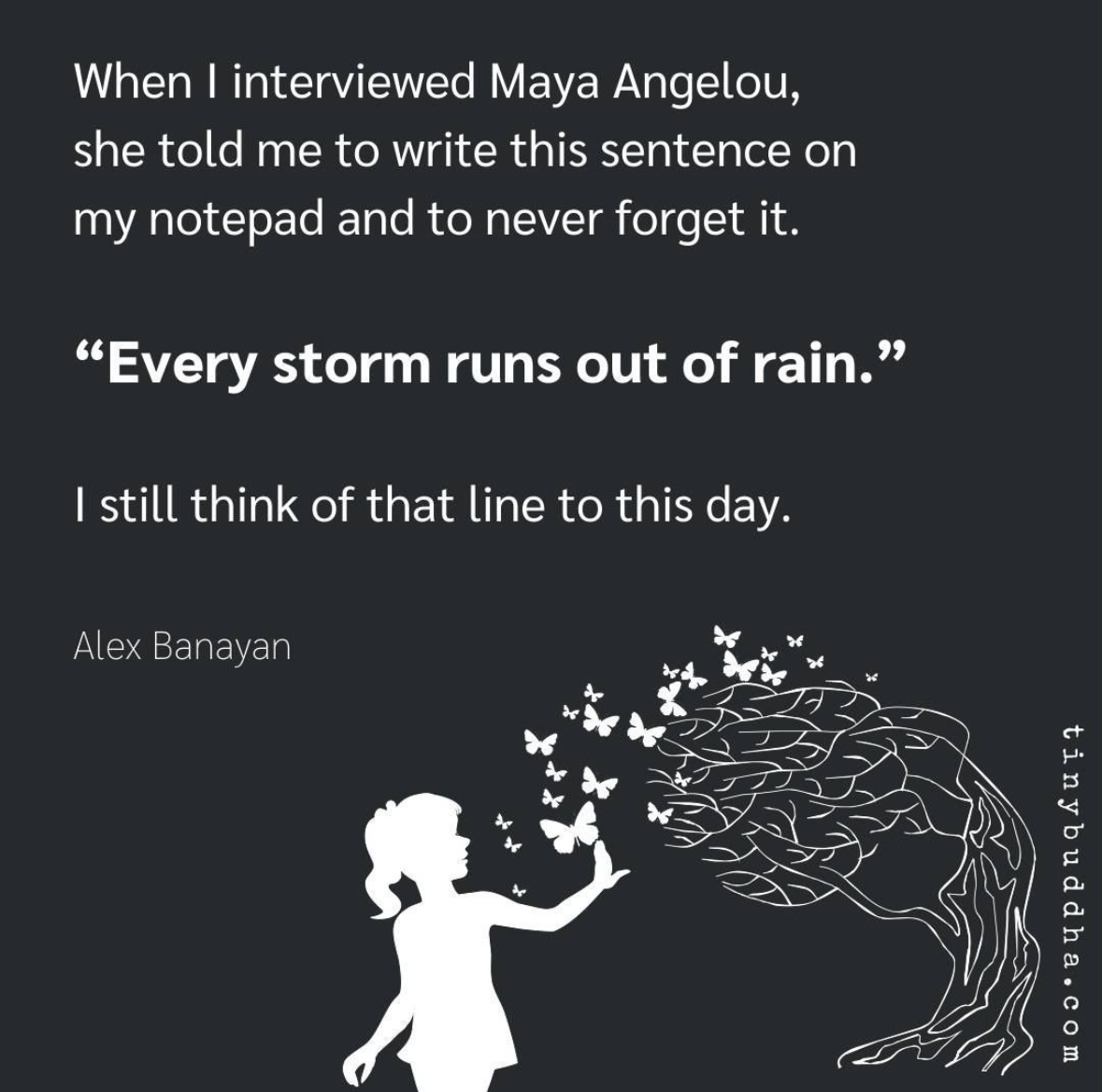
As we all know, life is a journey filled with ups and downs, challenges and triumphs. Throughout this journey, we often encounter storms – those difficult and tumultuous moments that seem insurmountable. Each of us have had our fair share of stormy weather. I saw this post on Instagram and the quote “Every storm runs out of rain,” reminded me that even the darkest of times will eventually pass.
This beautiful metaphor speaks to the transient nature of difficulties. Just as a storm cannot last forever, our troubles and hardships are not eternal. They may be powerful and overwhelming in the moment, but they, too, will come to an end.
The concept that “every storm runs out of rain” carries a universal message of resilience and endurance. It reminds us that our capacity to weather life’s challenges is far greater than we may believe. Just as nature endures storms and emerges more vibrant, we, too, can emerge stronger, wiser, and more appreciative of the beauty that follows adversity.
In our personal lives, we can apply this philosophy to difficult moments, knowing that they are temporary, and we will eventually find peace, happiness, and clarity. It encourages us to seek solace in the knowledge that change is a constant in life and that, even in the midst of turmoil, the sun will shine again.
“Every storm runs out of rain” is a powerful reminder of the impermanence of life’s challenges and the hope that follows adversity. It encourages us to persevere, adapt to change, and find strength in difficult times. It speaks to the resilience of the human spirit and the enduring power of hope. So, when you find yourself in the midst of a storm, remember that it will pass, and better days are on the horizon.
Here’s a song by Gary Allan on the same quote! (lyrics below!)
I saw you standing in the middle of the thunder and lightning I know you’re feeling like you just can’t win, but you’re trying It’s hard to keep on keepin’ on, when you’re being pushed around Don’t even know which way is up, you just keep spinning down, ’round, down
Every storm runs, runs out of rain Just like every dark night turns into day Every heartache will fade away Just like every storm runs, runs out of rain
So hold your head up and tell yourself that there’s something more And walk out that door Go find a new rose, don’t be afraid of the thorns ‘Cause we all have thorns Just put your feet up to the edge, put your face in the wind And when you fall back down, keep on rememberin’
Every storm runs, runs out of rain Just like every dark night turns into day Every heartache will fade away Just like every storm runs, runs out of rain
It’s gonna run out of pain It’s gonna run out of sting It’s gonna leave you alone It’s gonna set you free Set you free
Every storm runs, runs out of rain Just like every dark night turns into day Every heartache will fade away Just like every storm runs, runs out of rain
It’s gonna set you free It’s gonna run out of pain It’s gonna set you free
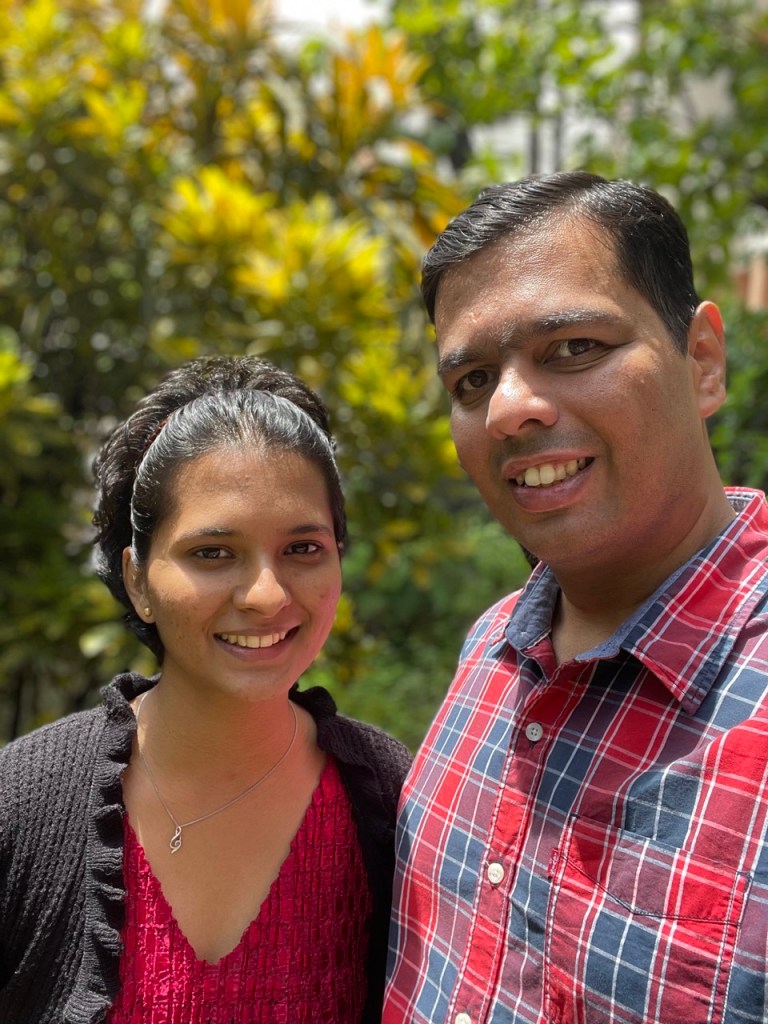
Today we complete 7 years since we said “I do” and it’s a little over 7 months since Keanah came into this world. My heart is filled with gratitude for the amazing journey we’ve been on so far. Biblically, the number 7 is often considered a symbol of completeness and perfection. And through the ups and downs, through the days and nights I’ve fought with the Lord, asking Him “Why Lord???”, as I look back today, I can definitely say that so far He has made things beautiful, perfect and complete in HIS time.
I thought today is a perfect opportunity to share our journey with you through 7 major miracles that tested and deepened my faith. Both Ana and myself were drawn to share our journey so that when Keanah grows up we have this to share with her without missing any details as to why we call her our miracle.
Miracle 1: Pain Our journey starts in June 2020 when we first conceived. We were so so happy, we had been trying for little less than a year. However, our hearts broke when we went for our ultrasound in the 7-8th week and heard no heartbeat. Our gynaec told us that it’s a blighted ovum and there’s nothing to worry. We then conceived again in April 2021. The challenging part this time was that I was down with Covid. Again, no heartbeat in the 7-8th week. We were really upset this time and the worst part is we had to deal with it alone for sometime as I was in isolation. Our gynaec made us do a full set of tests to figure out why the foetus wasn’t growing. We then got to know that Ana has a condition where her immunity is high. It was treating the foetus as a foreign body and hence attacking it. Why do I say this is a miracle? Well if not diagnosed, her high immunity would eventually lead to conditions like autoimmune diseases. It’s good we could deal with this now so that we don’t have to suffer with other catastrophic consequences.
Miracle 2: Conception In July 2022, we had decided to move to the US for a few years. Everyone kept asking me why aren’t you going there and it seemed like a good time to make the move. God had other plans!
On August 10, Mama’s birthday, Ana woke up feeling very sick. And then got even more cranky as she had planned to do a few things to celebrate her Mama’s birthday and now couldn’t do anything. Towards the afternoon, we did a test and got to know we’re pregnant! Our plan to move went out of the window and our focus now was solely on ensuring things go ahead with all that we learned from our past two experiences.
A few days after we got to know we are pregnant!
Miracle 3: Finding Dr. Payal Even though we started on all the medication as prescribed by our gynaec, when we went for the ultrasound in the sixth week, we didn’t hear the heartbeat. We visited our gynaec and we weren’t happy when we left her clinic.
Recently a new maternity hospital, Motherhood, had opened just near our place. So we decided to visit them for a second opinion. Since I could go only in the evening (because of work!), we saw Dr. Payal available. I quickly checked online and saw good reviews about her. When we met her, both Ana and I immediately felt she is so much like my sister Melanie. At once we felt at home and comfortable with her.
We spent over 45 minutes explaining to her everything. She patiently and calmly listened to us. And told us to continue the medication and do the ultrasound again on 1 September. When we left her cabin we both knew that this is the doctor who we would love to continue with. She made us feel understood, answered all our questions so well and assured us that we’re in the right hands. I don’t think we’ve ever had such an experience with a doctor. It was different, felt perfect for us and we both trusted her completely. We don’t know what we would have done without her and her ever positive attitude. She played an important part in our journey and words aren’t enough to make anyone understand how much she means to the both of us.
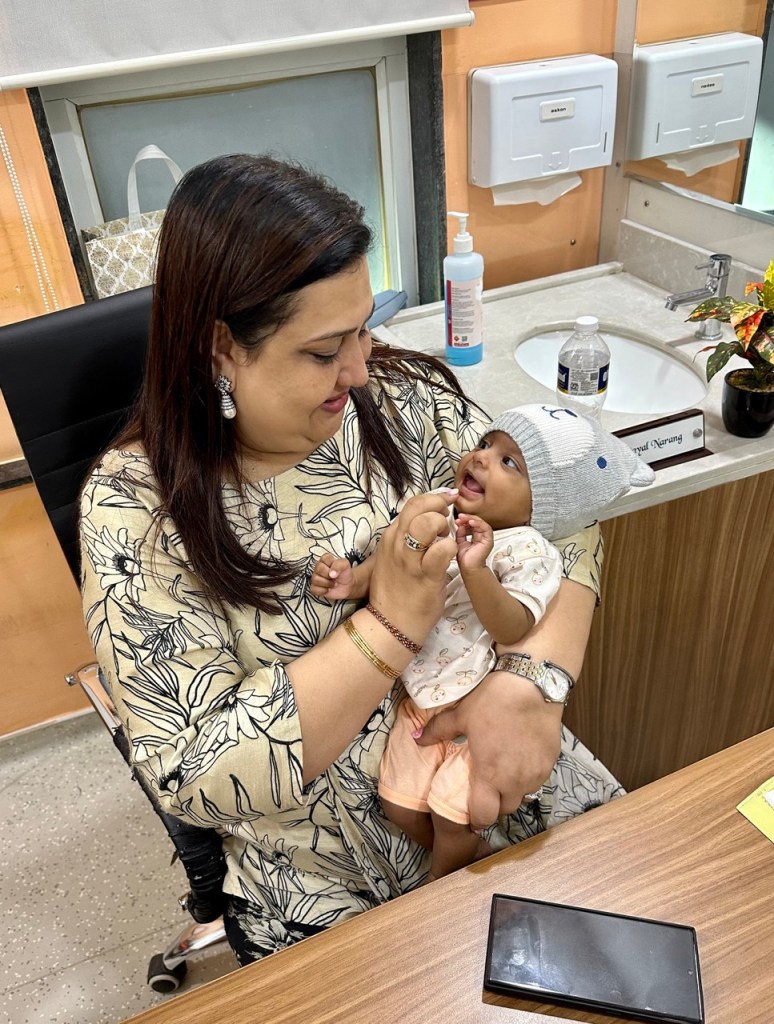
Dr. Payal with Keanah
Miracle 4: The Heartbeat On 1 September we went for the ultrasound. We’ve been for 6 ultrasounds before this one and I knew Ana was nervous, scared and tensed. I was a wreck too but I had to appear strong for her, being positive. Before leaving I had a quick chat with Shweta, my work colleague who has become a very close friend. She told me “I’m praying, I know everything will go well this time and I want a girl!”
Shweta with Keanah
Ana went in for the ultrasound at Motherhood and my heart was in my mouth when the nurse came out in a matter of minutes. I then realised she came to call me in as well. This was the first time I’d be in the room for the ultrasound. The previous ones, at other hospitals, didn’t allow me in.
When the Dr started, we heard the heartbeat for the very first time. It was music to my ears, the best thing I had ever heard till date. Tears rolled down my face with joy and I almost jumped off my stool to hug the doctor! We were over the moon!
The tough part was from then till February, Ana had to take injections everyday along with blood thinners to help ensure there’s good blood supply going to the foetus. The daily injections changed to alternate days after November. Giving those injections every time with a brave face is definitely one of the most difficult things I’ve had to do, but Ana had to endure much more, bearing all that pain in addition to all the changes taking place in her body with the baby growing inside her. It’s amazing how situations bring out so much strength that we have within us.
Miracle 5: Special? Of course! In mid-October our gynaec sent us for our NT scan. It’s a test where the nuchal fluid behind the baby’s neck is measured. A high level indicates that there’s a 80% chance of your baby having genetic defects like Down syndrome. Our hearts broke when we saw our reading. It was 3.92, whereas the normal is not more than 2.5. We were so upset. And when our gynaec said this is the highest she’s ever seen, I was a mess. We cried bitterly when we returned. That period is probably the most I’ve fought with God. Why all this when we do so much for you and the church? Why!?
I wasn’t happy with the test, so Dr. Payal sent us to one of the best fetal specialists in Pune, Dr. Pooja Lodha. Our appointment was at 1pm but we finally went in at around 4pm. The NT this time was 2.6, still high. But again, Dr. Pooja took her time to explain everything to us in great detail. We had two issues, one where the pressure at the artery supplying blood to baby was high. And secondly there were multiple fibroids. She said it’ll be a miracle if we have a normal delivery.
Dr. Pooja is definitely a gem of a person and absolutely fantastic at what she does. Again we were blessed with the best. What we loved the most are the lovely pics she shared of baby at almost every visit of ours.
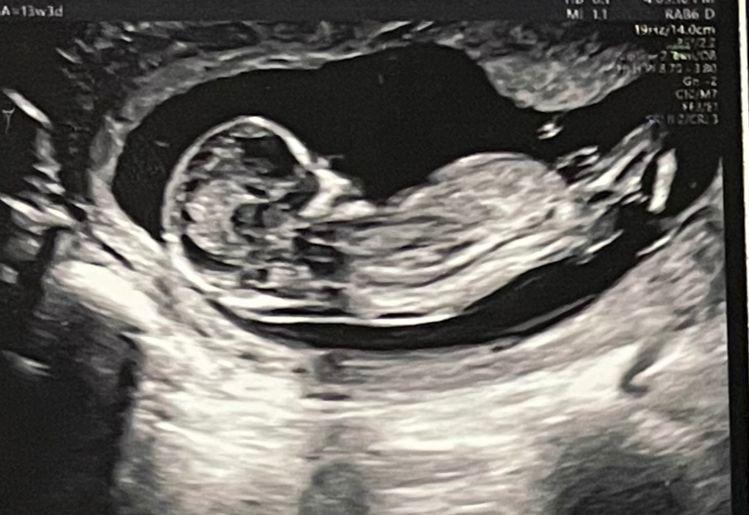
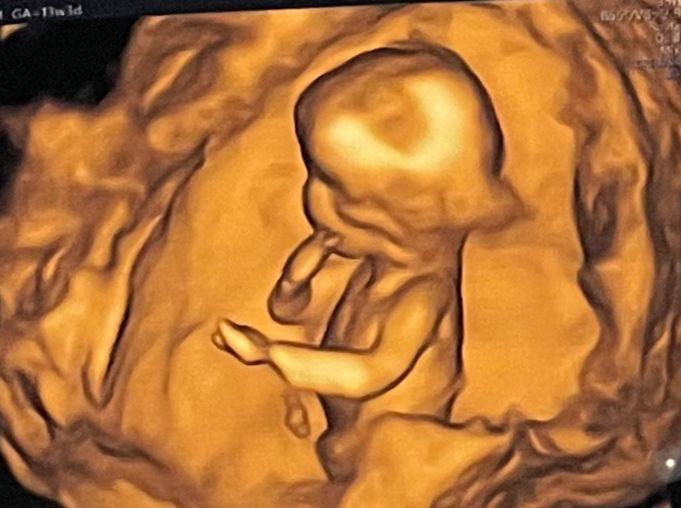
Chilling in the wombFingers in the mouth
Since the level was still high Dr. Payal then told us that since this scan is only 80% accurate and could also be a false positive, there are additional tests. The most accurate one is where they extract fluid from the foetus to test. It’s a risky procedure with a chance of miscarriage. I then asked her what is the point of doing all these tests. Anyway it’s a genetic issue and there’s nothing we with can do. So she replied that if we’re sure it’s a genetic issue you have the option to abort. I immediately told her there’s no way we’re aborting this baby. We’ve struggled to get here and we will accept it. It’s a gift from God. And moreover our religion doesn’t allow us to abort. So she still advised us to do the tests as we will have peace of mind if it’s all good, rather than stressing for the remaining 6 months wondering what’s going to happen.
We came home, discussed with each other and with our immediate family. Ana and I then decided that we won’t do the tests. We had already done enough of tests so far and we trusted God completely. The miracle? We did the genetic tests after Keanah was born and the reports came back completely normal! When we shared this with Dr. Payal, she told us the whole team at Motherhood rejoiced when they heard about the report. She then smiled and added “good comes to those who do good”
Miracle 6: Amniotic Cocktail In February, at 32 weeks, we did our ultrasound with Dr. Pooja followed by our visit to Dr. Payal. We got a little startled when Dr said that Ana needs to get admitted as the amniotic fluid level is very low. It’s 5 whereas it’s supposed to be 15. After Ana got admitted Dr told me that if the levels don’t come up we will have to deliver immediately. However, Ana was on blood thinners and injections till that point. We needed her to be off them for at least 6-7 days before we can operate her. Miraculously the high pressure at the artery connecting the foetus was normal for the first time ever! If that was still high we would have had one more complication to deal with. Ana was given drips to increase her amniotic fluid. The fluid was thick and the drips were very painful.
That evening I came home for a quick bath and to collect a few things. I fell to my knees and begged God to bring up the amniotic levels. That’s the best outcome for us. Thankfully it went up to 10 over the next 3-4 days. We were so relieved. However we had to go back every alternate day to get those extremely painful amniotic cocktails to maintain the fluid levels. I don’t understand how Ana had the strength to put on a brave face through it all.
Miracle 7: 26 March We visited Dr. Payal at our 36 week mark and she said baby is doing well, why do you want to suffer with those painful drips any longer? Baby is ready, let’s admit Ana on 25th late night and try inducing. By morning if we’re not successful, we will do a c-section. We weren’t expecting it to be so soon. I remember talking to my cousin Neisha about a few things regarding the delivery just before we got to know it’s going to happen in a matter of hours!
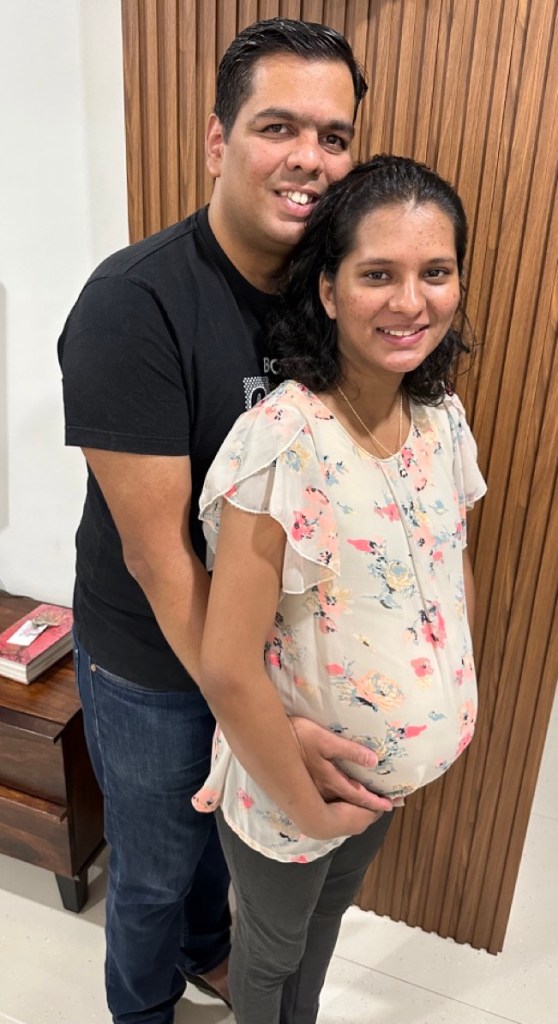
Before we left for the hospital, 25 March 2023
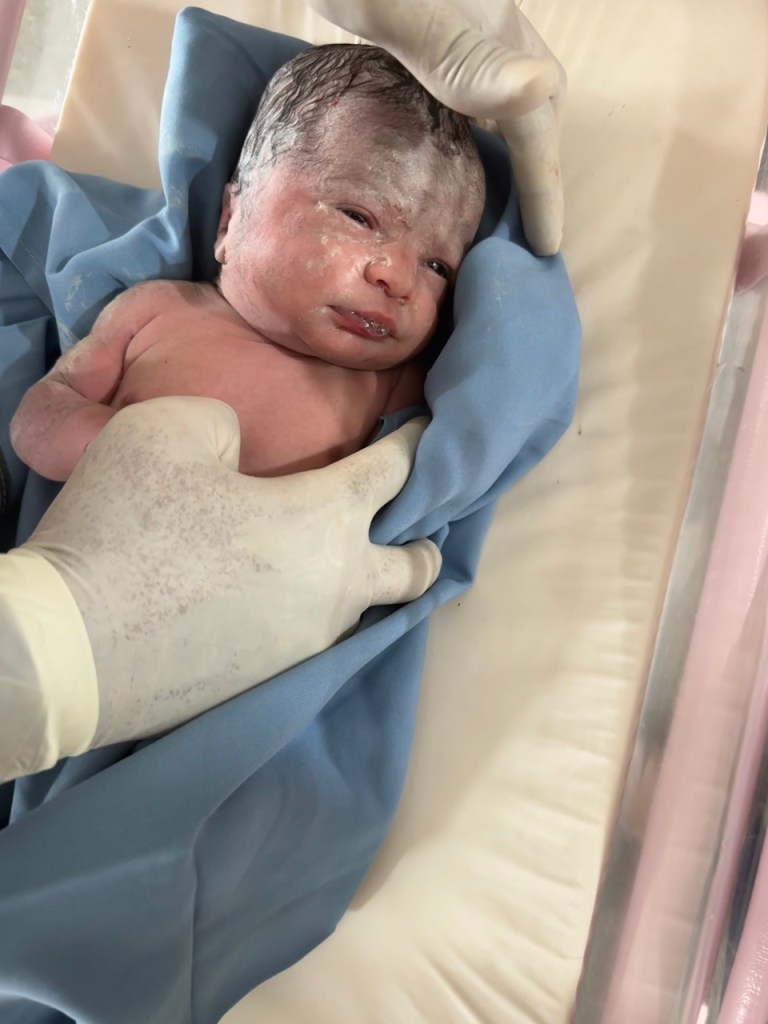
At midnight we got admitted to Motherhood. And just as Ana entered the labour room, she went naturally into labour. Dr. Payal who was with Ana said “baby also knew that it’s time to come out!” After around 11 hours, Keanah was born, natural delivery, a miracle in Dr. Pooja’s words! And Shweta’s wish was answered, she got her girl! 😊
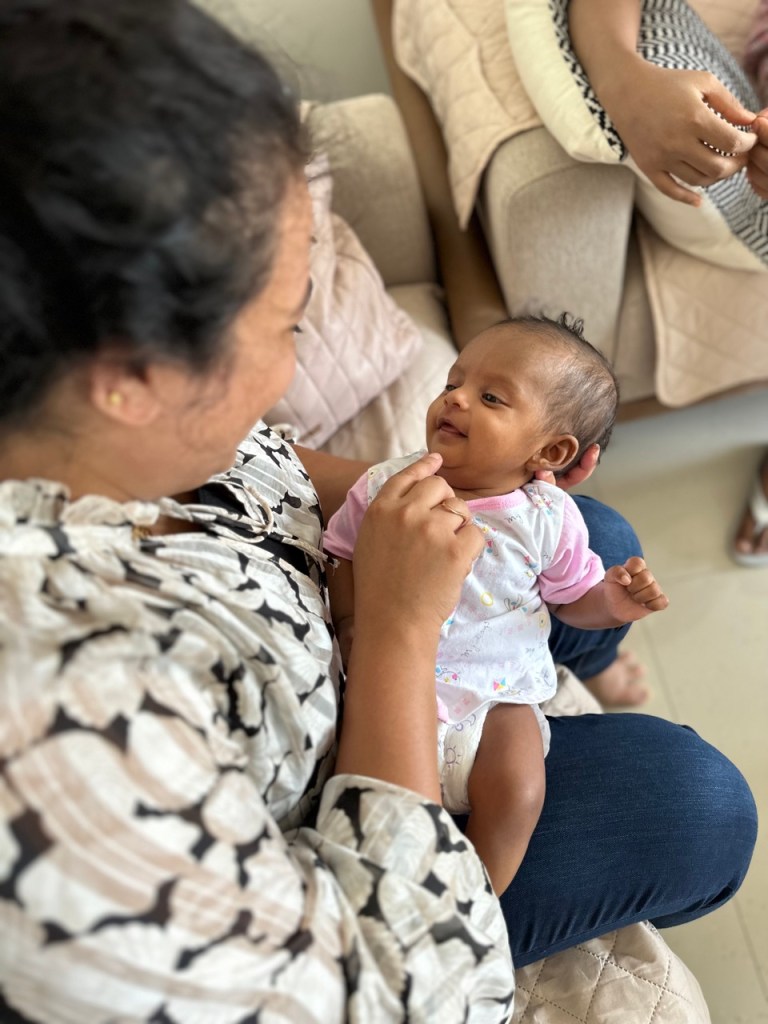
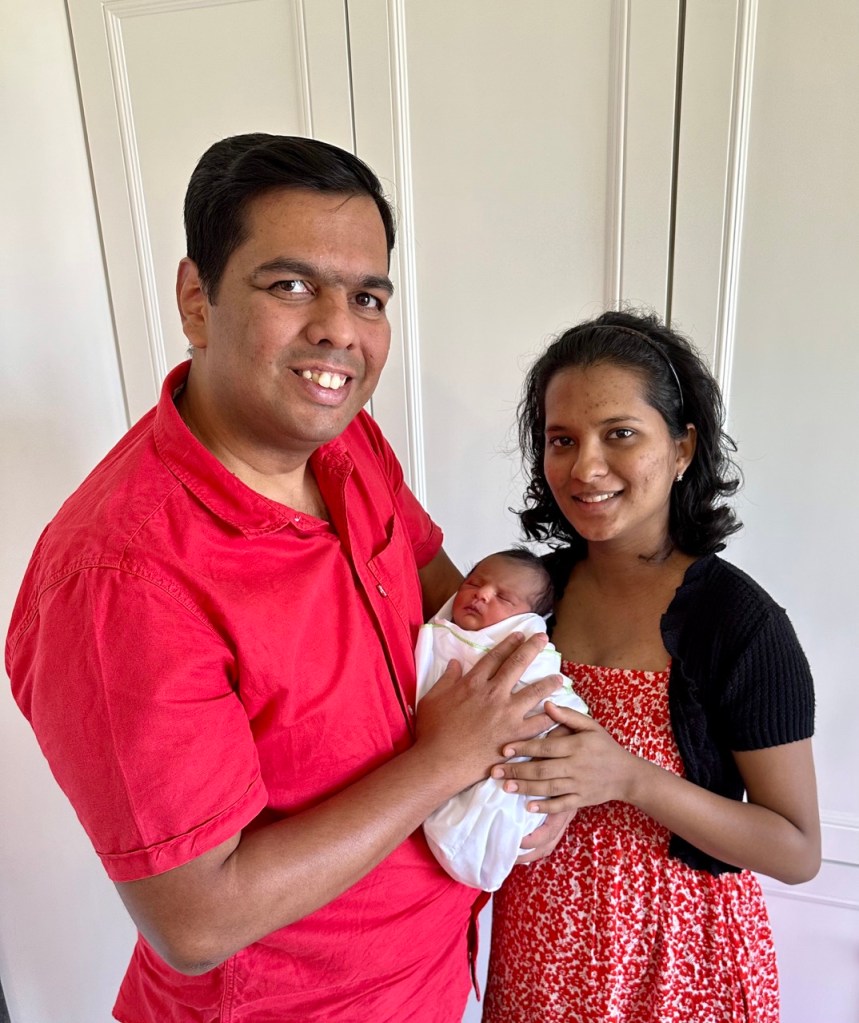
With her grandparentsFirst day at homeOur first family picFirst time I met Keanah
Many who were present at Keanah’s baptism heard us singing Michael Buble’s “Forever now”. And both Ana and I were very emotional. I was overwhelmed with emotions as I sang the lines “you’ve got so much strength inside you, a strength we pray you’ll never need”. After all we had gone through, these words just meant a lot, we identified so strongly with them. We wouldn’t want Keanah or anyone to have these experiences. And yet we’re so grateful because this journey has definitely strengthened our relationship with each other and more importantly with God.
Thank you Nihal for capturing this :)
Even though the journey has been something I was never prepared for, He made sure that He sent his angels to take care of us. Our families have been our strongest pillars of strength through it all, they stormed heaven with their prayers and have been with us at every step of the way. Dr. Payal and Dr. Pooja were heaven sent, came in at the right time when we needed them the most and hence we always knew we were in the best of hands always. So many of our family and friends showed up when we needed them the most. The community at Mount Carmel’s and our priests at our parish along with our Sunday school teachers and choir kids prayed fervently for us, we’re eternally grateful to all of them for their prayers. It’s amazing how much love, prayers and support we’ve been showered with on this journey.
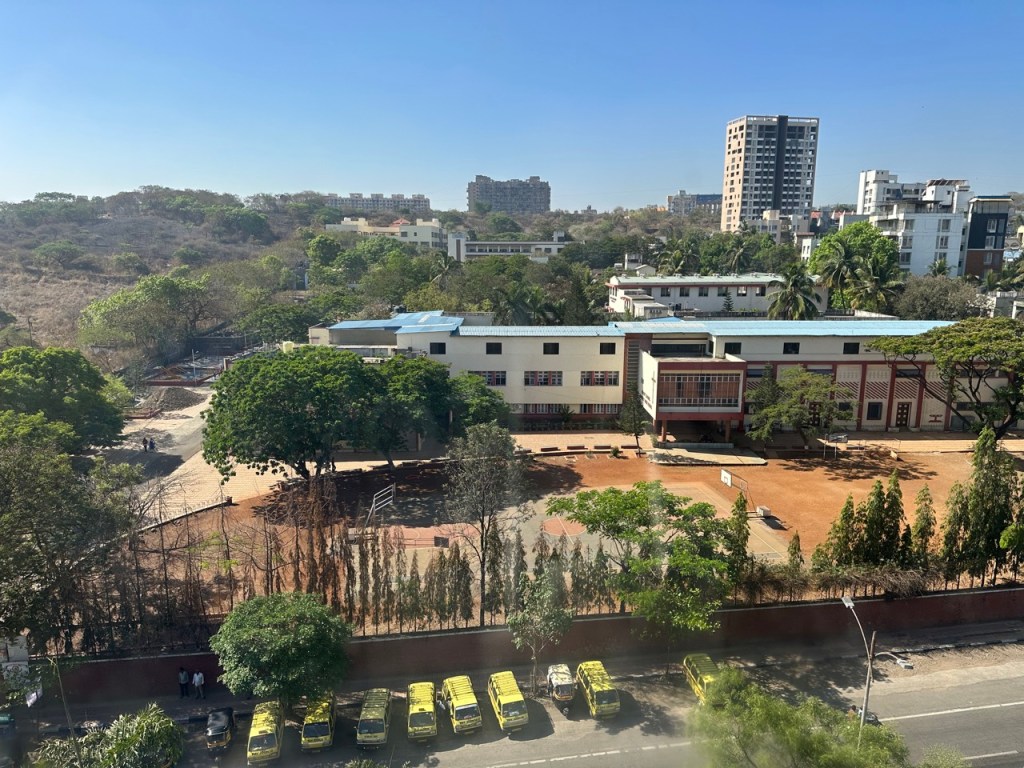
The view of Mount Carmels (Ana’s alma mater) from Motherhood
As we hold our precious little Keanah in our arms, we are filled with gratitude for the incredible journey that brought us to where we are today. The challenges and triumphs along the way have made this experience all the more profound and beautiful. Our hearts are full, and we can’t wait to embrace the adventure that lies ahead as a family. This miraculous journey has just begun, and we are eager to see where it takes us.
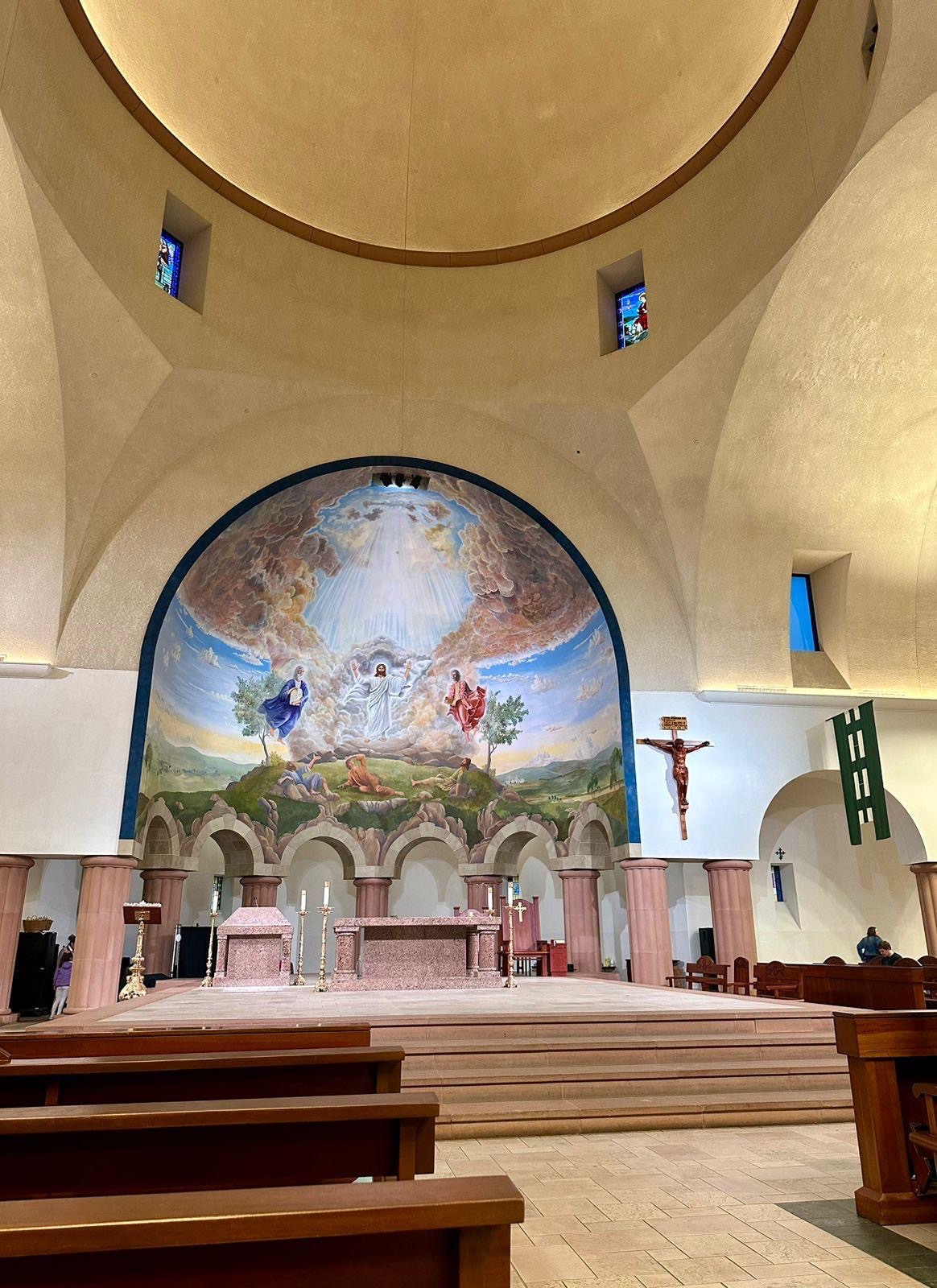
I had the MOST AMAZING mass ever! Probably the best mass I’ve ever attended. I can’t recall feeling like this ever.
Firstly I was reluctant to get out as it was raining. But then I said cmon, let’s go. And when I entered the church ⛪️ there was a full band practicing and they sounded so good. Grand piano 🎹 , bass, acoustic guitar 🎸 , drummer 🥁 and 🪘
I reached at 4:10pm, had to wait 20 minutes. I was so surprised to see the church packed, mostly Americans, few Asians, Mexicans. The main celebrant was a young priest and it was the youth mass. Hearing everyone join the choir for all the hymns was so amazing. The girl next to me was singing such good seconds. I wasn’t sure if I should take out my phone to record.
The homily was so touching, he explained so beautifully why we reach out to those in need, why the church goes beyond the four walls of the church.
When I saw the offertory hymn I couldn’t resist, I recorded from then..the hymn was the one that I based my last session for the youth on, “Goodness of God”
Every week a family does the offertory and they also are offered the blood of Christ to consume after communion.
Then before the final blessing they had a testimony from a 16 year old girl on how she her life changed when she attended an adoration organised for middle school kids, now she is part of the catechism team for the smaller kids.
What touched me deeply is how they greet everyone at the start of mass and at peace. All their responses are slow and said very devoutly. The altar servers, ushers (the youth!) and the Eucharistic ministers were on point, devoutly doing their duties. And then how joyfully everyone comes for communion. It’s everything I always imagined mass should be, a devout joyful experience! ❤️
We always hear the church is dead/dying here in the US, but this mass was the most alive I’ve ever seen our church and catholics!
Can’t wait to go again for all saints day and next Sunday!
I was thanking the lord for such a heavenly experience, but there was still one more surprise, my Uber back to the hotel was a Tesla! Sat in the latest Model 3! ❤️
One key point is that WCAG updates are intended to be backwards-compatible – by satisfying the requirements of WCAG 2.2, your site also satisfies the requirements of earlier versions of the specification. For this reason, the majority of WCAG 2.2 remains unchanged from WCAG 2.1.
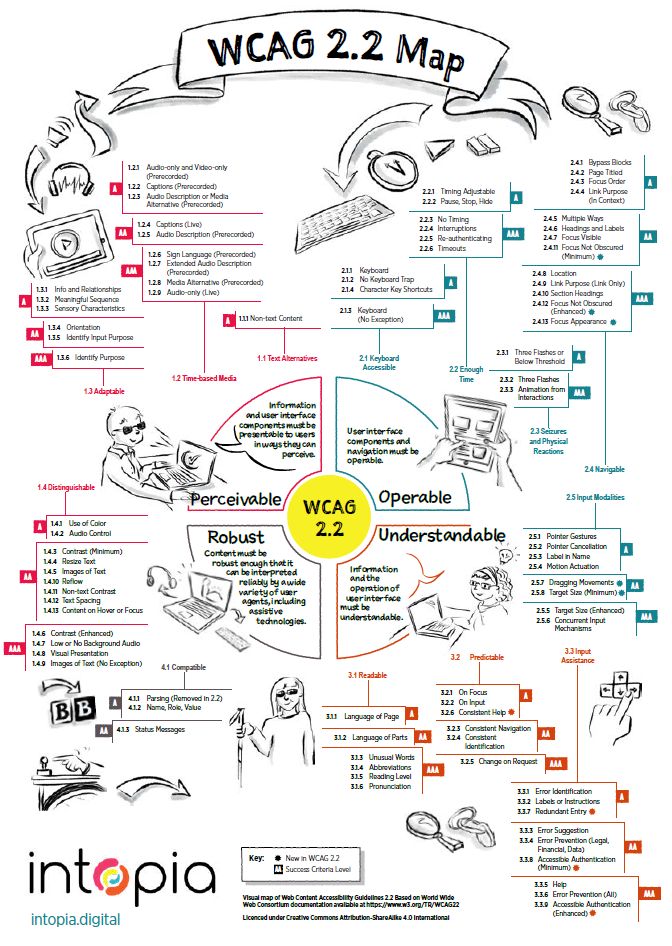
I came across Intopia’s cool map that covers the 9 new success criteria
Source: Intopia
One “breaking” change from WCAG 2.1 is the removal of Success Criterion 4.1.1 Parsing. This was useful when it was first introduced in WCAG 2.0 back in 2008, but thanks to changes in the HTML standard that specify a consistent way for browsers to error-correct malformed markup, it no longer provides any benefit to people with disabilities.
Beyond this change, WCAG 2.2 introduces 9 new Success Criteria, below are a few with details on how to meet the requirements:
3.3.8 Accessible Authentication (Minimum) (AA)
A cognitive function test (such as remembering a password or solving a puzzle) is not required for any step in an authentication process unless that step provides at least one of the following:
Alternative: Another authentication method that does not rely on a cognitive function test.
Mechanism: A mechanism is available to assist the user in completing the cognitive function test.
Object Recognition: The cognitive function test is to recognize objects.
Personal Content: The cognitive function test is to identify non-text content the user provided to the Web site.
How to meet the requirement
The simplest way to satisfy the criterion is not to have any cognitive function tests as part of an authentication process.
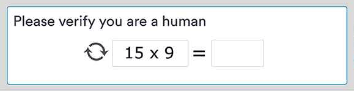
Cognitive function tests include mathematical puzzles and similar types of CAPTCHAs.
If the authentication process does have a cognitive function test, provide an alternative that does not rely on it – for instance, fingerprint authentication (via platform functionality like Windows Hello), open authorization (OAuth), use of a physical key/dongle, or app-based authentication (where a user opens a separate application and confirms that it is indeed them trying to log in).
Remembering and entering a username and password also falls under the definition of a “cognitive function test”. In these cases, the simplest way to meet the requirement is not to prevent copy/paste functionality on the login form fields, and allowing the use of password managers to autofill the fields, rather than having to manually type them in – this counts as a “mechanism”. The same is true for passcodes (such as TOTP codes): a user must be able to copy/paste these, rather than having to manually transcribe them.
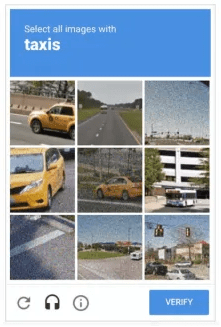
This success criterion includes exemptions for “object recognition” – such as the classic “select all squares that contain a particular type of object” tests – and being able to recognise “personal content” – for instance, images that the user has previously uploaded to a site.
Note that this criterion (and its AAA counterpart) only apply to authentication – when a user logs into a site. They do not cover other situations where cognitive tests (such as CAPTCHAs) are presented to the user.
3.3.9 Accessible Authentication (Enhanced) (AAA)
A cognitive function test (such as remembering a password or solving a puzzle) is not required for any step in an authentication process unless that step provides at least one of the following:
Alternative: Another authentication method that does not rely on a cognitive function test.
Mechanism: A mechanism is available to assist the user in completing the cognitive function test.
This is the matching AAA version of the above 3.3.8 Accessible Authentication (Minimum). It is the same as its AA version, but without the exception for “object recognition” and “personal content”.
A classic reCAPTCHA image selection as an example of “object recognition”
2.4.11 Focus Not Obscured (Minimum) (AA)
When a user interface component receives keyboard focus, the component is not entirely hidden due to author-created content.
Sighted people who can’t use a mouse need to see what has keyboard focus. Some web pages include content that is designed to “stick” to a specific area of the page, even when the page is scrolled, or otherwise overlap existing content. This includes sticky headers/footers, cookie banners, and floating sidebars and menus. This can lead to keyboard focus disappearing behind these elements, which is problematic.
How to meet the requirement
Ensure that when an item gets keyboard focus, the focus is at least partially visible.
2.4.12 Focus Not Obscured (Enhanced) (AAA)
When a user interface component receives keyboard focus, no part of the component is hidden by author-created content.
This success criterion is similar to its AA counterpart above, except that the entirety of the focus indicator must be unobscured, and there are no exceptions for configurable interfaces or the user’s ability to make focus visible again after opening additional content.
2.4.13 Focus Appearance (AAA)
When the keyboard focus indicator is visible, an area of the focus indicator meets all the following:
is at least as large as the area of a 2 CSS pixel thick perimeter of the unfocused component or sub-component, and
has a contrast ratio of at least 3:1 between the same pixels in the focused and unfocused states.
Exceptions:
The focus indicator is determined by the user agent and cannot be adjusted by the author, or
The focus indicator and the indicator’s background color are not modified by the author
How to meet the requirement
The simplest way to satisfy this requirement is to use an outline around the perimeter of a focused element that is at least 2 CSS pixels thick and has sufficient contrast (already covered by 1.4.11 Non-text Contrast).
Using a 2 CSS pixel thick focus indicator around a focused button
2.5.7 Dragging Movements (AA)
All functionality that uses a dragging movement for operation can be achieved by a single pointer without dragging, unless dragging is essential or the functionality is determined by the user agent and not modified by the author.
How to meet the requirement
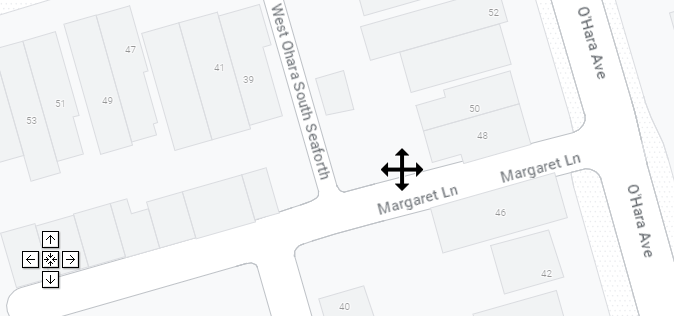
Make sure that there is a way for a mouse/touch user to still perform the same action using simple clicks/taps, rather than being forced to perform a dragging movement. For drag-and-drop interfaces, this could be achieved by allowing a user to click/tap on an item to “pick it up”, and a subsequent click/tap to “drop it”. For maps, add explicit directional buttons to pan the map view. For carousels, provide previous/next controls, or “dots” underneath the carousel to jump directly to a particular slide. For sliders, make sure that users can click/tap directly on the slider’s “track” to move the slider to that particular position.
A map that allows panning by dragging the mouse, but also includes single-click direction buttons
3.2.6 Consistent Help (A)
If a Web page contains any of the following help mechanisms, and those mechanisms are repeated on multiple Web pages within a set of Web pages, they occur in the same order relative to other page content, unless a change is initiated by the user:
Human contact details;
Human contact mechanism;
Self-help option;
A fully automated contact mechanism.
How to meet the requirement
If your pages offer a help mechanism, make sure that the relative order of the help mechanism (or the link to reach said mechanism) is always in the same order relative to other page elements.
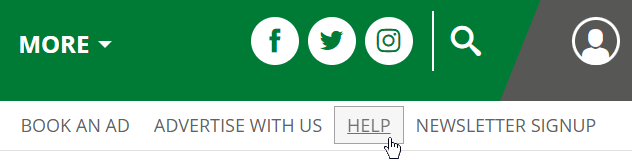
If there is a help mechanism – in this case, a literal “Help” link in the main navigation – make sure it’s always in the same relative order compared to other page content.
As WCAG 2.2 has been released as a stable W3C Recommendation, now is the time to familiarise yourself with the new success criteria, and to integrate them in your own accessibility and design considerations.
While you may find that you’re already compliant with some new criteria already, since they just enshrine best practices, others – such as 3.3.8 Accessible Authentication (Minimum) – may require more fundamental changes to existing processes and systems.
I definitely think that basing all design and development on WCAG 2.2 should now be the norm because I believe that each new version of WCAG offers a better experience for people with disabilities!
Love and forgiveness, two profound and intertwined virtues, are like the dual stars guiding us on the path of compassion and reconciliation. They are the cornerstones of harmonious relationships, personal growth, and the healing of wounds.
Love is the force that binds us together, nurturing bonds and fostering empathy. It’s a gentle embrace that celebrates our shared humanity and transcends boundaries. In the context of love, forgiveness becomes the bridge that spans the divide when conflicts arise.
Here’s why love and forgiveness are inseparable companions:
1. Compassion Unleashes Forgiveness: Love opens our hearts to the pain and imperfections of others. When we truly love, we empathize with the struggles and errors of those we care about. This empathy naturally leads to forgiveness, as we recognize that, like us, they are also fallible.
2. Healing and Restoration: In the face of hurt or betrayal, it’s forgiveness that allows the healing process to begin. Love provides the motivation to rebuild broken relationships, but forgiveness is the key that unlocks the door to reconciliation and renewal.
3. A Path to Personal Growth: Forgiveness is not just about others; it’s also about ourselves. When we forgive, we release the burdens of anger and resentment that can weigh us down. Love for ourselves and others is what motivates us to let go and embrace personal growth.
4. A Foundation for Empathy: Love is the fertile ground where empathy flourishes. When we love deeply, we put ourselves in others’ shoes and understand their perspectives. This understanding paves the way for forgiveness, as we recognize that we, too, make mistakes.
5. Breaking the Cycle: Love and forgiveness break the cycle of negativity and retaliation. Instead of perpetuating conflicts, they create an environment where misunderstandings can be resolved, and wounds can be healed.
It’s important to note that forgiveness doesn’t mean condoning or excusing harmful actions. Instead, it’s a conscious decision to let go of the desire for revenge or retribution and to seek resolution and healing.
In the end, love and forgiveness are intertwined in a dance of compassion and healing. They are the powerful forces that guide us toward more profound connections with others, a deeper understanding of ourselves, and a more harmonious and forgiving world. Together, they form the foundation upon which we can build better relationships, nurture personal growth, and make the world a kinder place.
Worry is a persistent companion on life’s journey, often stemming from our desire to control every aspect of our existence. Yet, one of the most profound lessons life teaches us is the art of not worrying about things that lie beyond our control.
The idea is beautifully encapsulated in the ancient Stoic philosophy’s concept of “Amor Fati,” which translates to “love of fate.” It encourages us to embrace all aspects of our lives, even the uncontrollable ones, with equanimity and acceptance.
Why is it crucial not to worry about things beyond our control?
1. Peace of Mind: Worrying about the uncontrollable only serves to agitate our minds, creating unnecessary stress and anxiety. Letting go of such concerns brings peace and tranquility to our inner world.
2. Energy Conservation: Worry consumes valuable mental and emotional energy that could be better invested elsewhere. By releasing the need to control the uncontrollable, we free up our resources for more productive and fulfilling endeavors.
3. Enhanced Adaptability: Life is unpredictable, and the uncontrollable often presents unexpected challenges. By not worrying, we cultivate adaptability and resilience, enabling us to face adversity with grace and strength.
4. Improved Relationships: Worrying about the actions and choices of others can strain relationships. Instead of trying to control them, respecting their autonomy and choices can lead to healthier and more harmonious connections.
5. Focus on the Present: When we obsess over the uncontrollable future or dwell on the unchangeable past, we miss out on the beauty and opportunities of the present moment. Letting go of worries allows us to fully experience the here and now.
However, it’s important to clarify that not worrying about the uncontrollable doesn’t equate to apathy or passivity. It means recognizing the limits of our influence and taking constructive action where we can while accepting the rest with grace.
Practical techniques such as mindfulness meditation, journaling, or seeking support from loved ones or professionals can help in the process of letting go of worries. It’s a journey that requires practice and patience but is richly rewarding in the serenity and empowerment it brings.
Not worrying about things beyond our control is an invaluable life skill. It frees us from the burden of unnecessary stress, nurtures our well-being, and empowers us to face life’s uncertainties with equanimity. It’s a lesson in embracing the present, cultivating resilience, and finding serenity in the midst of life’s ever-changing tides.
Respect, often considered the cornerstone of civilized societies, is a virtue that transcends individual merit. While it’s natural to show respect to those who earn it through their actions and character, the true test of this virtue lies in our ability to extend it even to those who may not seem deserving.
Respecting someone who doesn’t appear to deserve it is not a matter of condoning their behavior or overlooking their flaws. Rather, it’s a reflection of our own character and values. It’s a commitment to treating every individual with dignity, regardless of their actions or beliefs.
There are several reasons why showing respect, even to those who may not appear to deserve it, is a virtuous choice:
1. It Upholds Your Values: Respect is not about changing your principles but rather adhering to them steadfastly. By showing respect to all, you demonstrate your commitment to a higher standard of behavior based on values like kindness, empathy, and fairness.
2. It Encourages Dialogue: Respectful engagement can open doors to productive conversations and bridge gaps in understanding. Treating others with respect, even in the face of disagreement, can create a space for constructive dialogue and problem-solving.
3. It Sets a Positive Example: Your actions speak louder than words. When you consistently show respect, even when it seems undeserved, you set a positive example for others to follow. This can inspire a culture of respect in your community or workplace.
4. It Fosters Empathy: Showing respect, especially when it’s challenging, can help you cultivate empathy. Understanding that people have their own struggles and challenges can make it easier to extend respect, even to those with whom you may disagree.
5. It Promotes Personal Growth: Respecting others, irrespective of their actions, can be a profound act of personal growth. It requires self-control, patience, and a commitment to being the best version of yourself.
However, one thing I am very clear about and I think it’s important to clarify. Showing respect does not mean tolerating abuse, injustice, or harm. It’s crucial to set boundaries and seek justice when necessary. Respect should not come at the expense of your well-being or the well-being of others.
Showing respect even to those who don’t appear to deserve it is a testament to the strength of your character and your commitment to a higher moral standard. It reflects your ability to rise above negativity and maintain your dignity and values. While it may not always be easy, this act of respect can lead to positive change, foster understanding, and contribute to a more compassionate and harmonious society.








 Kenrick Vaz