We continue our journey through the transformative world of modern CSS upgrades!
color-scheme
You may be familiar with the prefers-color-scheme media query to customize dark and light themes. The CSS property color-scheme is an opt-in to adapting browser UI elements including form controls, scrollbars, and CSS system colors. The adaptation asks the browser to render those items with either a light or dark scheme, and the property allows defining a preference order.
If you’re enabling adapting your entire application, set the following on the :root, which says to preference a dark theme (or flip the order to preference a light theme).
:root {
    color-scheme: dark light;
}
You can also define color-scheme on individual elements, such as adjusting form controls within an element with a dark background for improved contrast.
.dark-background {
    color-scheme: dark;
}
accent-color
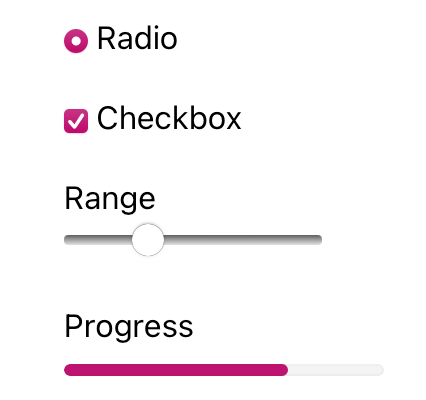
I’m sure that at some point you’ve wanted to change the color of checkboxes or radio buttons. What you’ve been looking for is accent-color!
With this property, you can modify the :checked appearance of radio buttons and checkboxes and the filled-in state for both the progress element and range input. The browser’s default focus “halo” may also be adjusted if you do not have another override.
:root {
  accent-color: mediumvioletred;
}
Consider adding both accent-color and color-scheme to your baseline application styles for a quick win toward custom theme management.
width: fit-content
One of my favorite CSS hidden gems is the use of fit-content to “shrink wrap” an element to its contents.
Whereas you may have used an inline display value such as display: inline-block to reduce an element’s width to the content size, an upgrade to width: fit-content will achieve the same effect. The advantage of width: fit-content is that it leaves the display value available, thereby not changing the position of the element in the layout unless you adjust that as well. The computed box size will adjust to the dimensions created by fit-content.
Let’s see how it works
.fit-content {
  width: fit-content;
}
overscroll-behavior
The default behavior of contained scroll regions – areas with limited dimensions where overflow is allowed to be scrolled – is that when the scroll runs out in the element, the scroll interaction passes to the background page. This can be can be pretty frustrating for your users.
Use of overscroll-behavior: contain will isolate the scrolling to the contained region, preventing continuing the scroll by moving it to the parent page once the scroll boundary is reached. This is useful in contexts such as a sidebar of navigation links, which may have an independent scroll from the main page content, which may be a long article or documentation page.
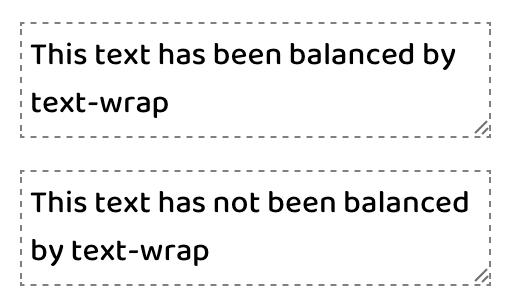
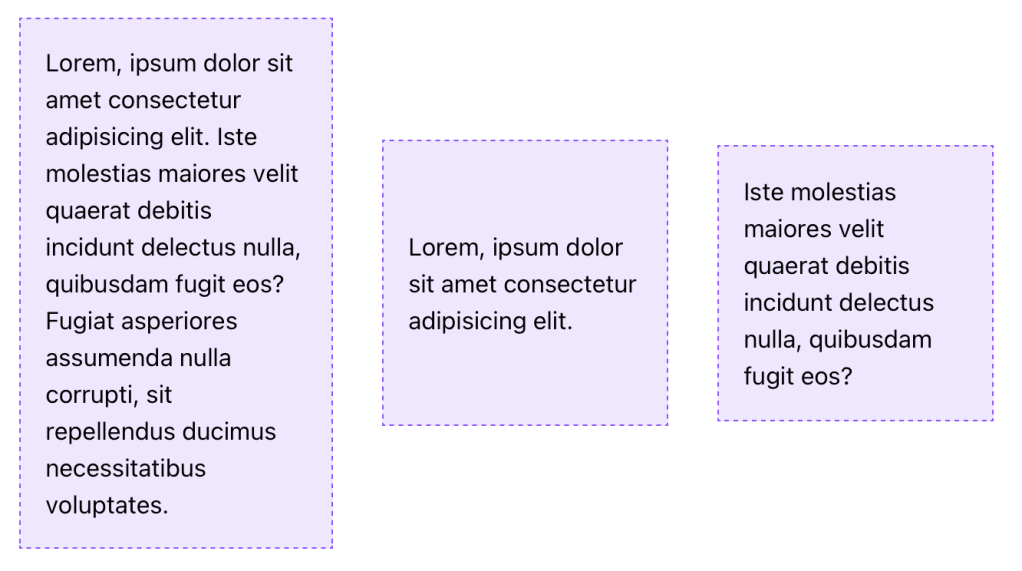
One of the newest properties (as of 2023) is text-wrap, which has two values that solve the type-setting problem of unbalanced lines. This includes preventing “orphans,” which describes a lonely word sitting by itself in the last text line.
The first available value is balance, which has a goal of evening out the number of characters per line of text.
There is a limitation of six lines of wrapped text, so the technique is best used on headlines or other shorter text passages. Limiting the scope of application also helps limit the impact on page rendering speed.
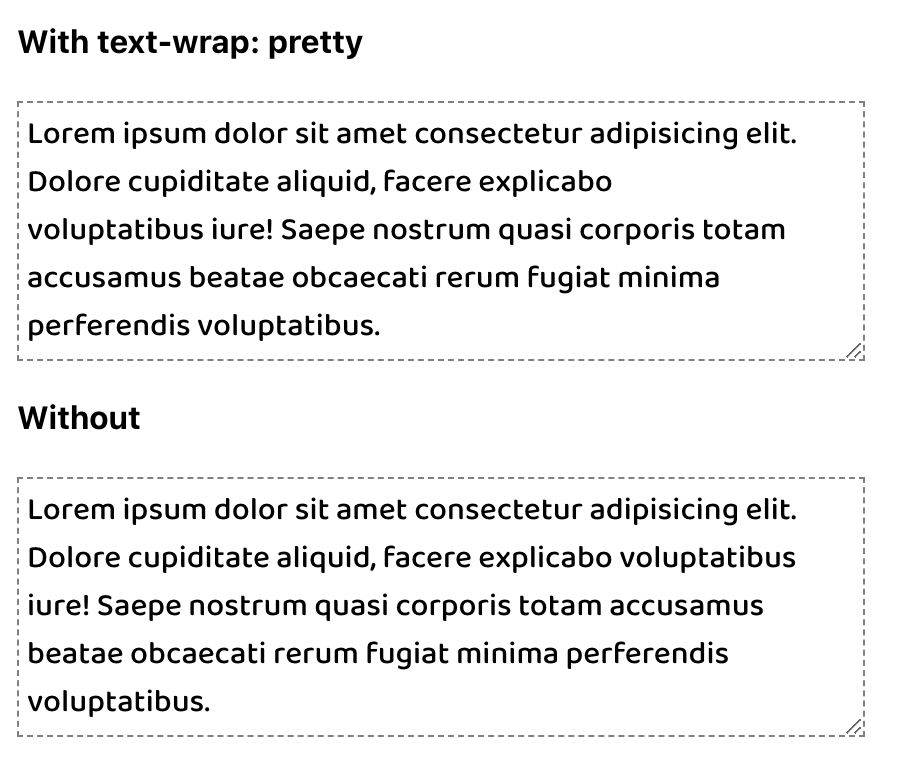
The other value of pretty specifically addresses preventing orphans and can be more broadly applied. The algorithm behind pretty will evaluate the last four lines in a text block to work out adjustments as needed to ensure the last line has two or more words.
p { text-wrap: pretty; /* For demonstration */ max-inline-size: 35ch; }
Hope this helps you! Have I missed anything? Let me know in the comments below :)
In the ever-evolving landscape of web development, the language of design undergoes constant refinement. CSS, the style sheet language that breathes life into the digital realm, is no exception. Sometimes, improving your CSS just takes a one-line upgrade or enhancement! Learn about 10 properties to start incorporating into your projects, and enjoy reducing technical debt, removing JavaScript, and scoring easy wins for user experience. Fasten your seatbelts as we embark on a journey through the transformative world of modern CSS upgrades!
aspect-ratio
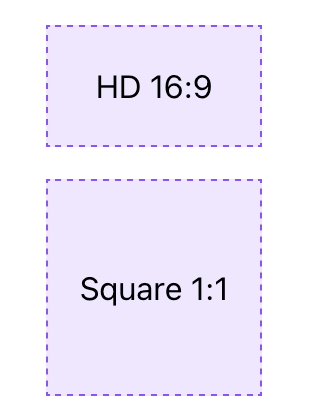
As of September 2021, the aspect-ratio property is stable in evergreen browsers and is the only property needed to define an aspect ratio. For an HD video, you can just use aspect-ratio: 16/9. For a perfect square, only aspect-ratio: 1 is required since the implied second value is also 1 .
An applied aspect-ratio is forgiving and will allow content to take precedence. This means that when content would cause the element to exceed the ratio in at least one dimension, the element will still grow or change shape to accommodate the content. To prevent or control this behavior, you can add additional dimension properties, like max-width, which may be necessary to avoid expanding out of a flex or grid container.
/* Applied to the flexbox children which have a size constraint from their parent */
.aspect-ratio-square {
  aspect-ratio: 1;
}
object-fit
The use of object-fit causes an img or other replaced element to act as the container for its contents and have the contents adopt resizing behavior similar to background-size.
While there are a few values available for object-fit, the following are the ones you’re most likely to use:
cover – the image resizes to cover the element, and maintains its aspect-ratio so that the content is not distorted
scale-down – the image resizes (if needed) within the element so that it is fully visible without being clipped and maintains its aspect-ratio, which may lead to extra space (”letterboxing”) around the image if the element has a different rendered aspect-ratio
In either case, object-fit is an excellent property pairing with aspect-ratio to ensure images are not distorted when you apply a custom aspect ratio. Let’s look at an example
One of many logical properties, margin-inline functions as a shorthand for setting the inline (left and right in horizontal writing modes) margin.
The replacement here is simple:
/* Before */ margin-left: auto; margin-right: auto; /* After */ margin-inline: auto;
text-underline-offset
The use of text-underline-offset allows you to control the distance between the text baseline and the underline. You can use this offset to clear descenders as well as improve legibility, particularly when links are grouped in close proximity, such as a bulleted list of links.
This upgrade may replace older hacks like a border or pseudo-element, or even a gradient background
a {
    text-underline-offset: 0.25em;
}
outline-offset
We’ve been using different hacks including box-shadow or perhaps a pseudo-element to supply a custom outline when you wanted distance between the element and outline on focus?
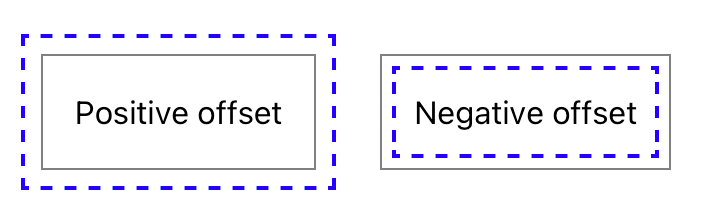
The long-available outline-offset property may be one you missed, and it enables pushing the outline away from the element with a positive value or pulling it into the element with a negative value.
In the example below, the gray solid line is the element border, and the blue dashed line is the outline being positioned via outline-offset.
One key point is that outlines are not computed as part of the element’s box size, so increasing the distance will not increase the amount of space an element occupies. This is similar to how box-shadow is rendered without impacting the element size as well.
Conversational AI has taken off, and chatbots powered by large language models (LLMs) like ChatGPT are becoming a must-have for many apps and websites. At Brillio, we already have kicked-off many engagements on conversational AI. As a web developer, you want a simple way to build a great chat interface backed by these incredible LLMs. That’s where NLUX comes in.
NLUX is an open-source React and Vanilla JS library that makes it easy to integrate LLMs like ChatGPT into your app and create natural conversational experiences for your users. With NLUX, you get:
Build AI Chat Interfaces In Minutes – High quality conversational AI interfaces with just a few lines of code.
React Components & Hooks – <AiChat /> for UI and useAdapter hook for easy integration.
Flexible LLM Adapters – ChatGPT HuggingFace and an API to Create Your Own Adapter for any LLM.
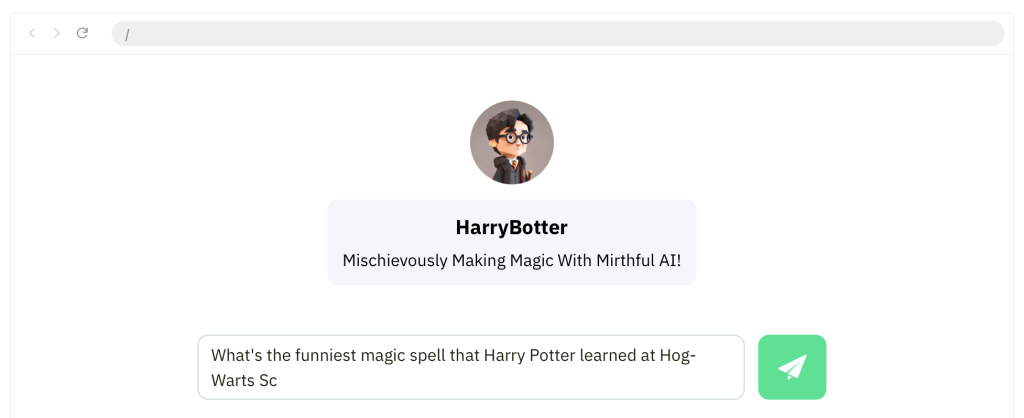
Bot and User Personas – Customize the bot and user personas with names, images, and descriptions.
Streaming LLM Output – Streamed the chat response to the UI as it’s being generated.
Syntax Highlighting – Color code snippets in the response. Copy And Paste code into your editor.
Personalized Conversation – Provide context using system messages, and instruct the LLM how to behave.
Customizable Theme – Easily customize the look and feel of the chat interface using CSS variables.
Zero Dependencies – Lightweight codebase, with zero-dependencies except for LLM front-end libraries.
What I liked is the flexibility to develop custom streaming or promise adapters. For example, let’s say an enterprise doesn’t use the public OpenAI large language model, but they want to use a custom model that’s hosted in their own servers. They can actually build and customize their own models, but they still can use NLUX to connect to those models. They need to build a custom adapter for their own model and API.
Developers can personalize their chatbot with natural language queues and a few lines of code to give the conversation a bit of personality. They can also instruct the bot to be serious, funny, modest or confident.
NLUX is also currently building an adapter for LangChain, along with support for server-side rendering. Voice chat is also on the roadmap for the library. They also have plans to expand NLUX to support Angular, React Native and possibly Preact.
Let’s see how easy it is to get up and runningn with NLUX.
To get started, you can check out the React JS NPM package here or the Vanilla JS NPM package here. Both NPM packages have detailed documentation and examples on how to use them.
I’ll use the react package. To install:
npm install @nlux/react @nlux/openai-react
Then include <AiChat /> in your React app to get started.
Use the useAdapter hook to configure an adapter for your LLM.
import {AiChat} from '@nlux/react'; import {useAdapter} from '@nlux/openai-react'; const App = () => { const gptAdapter = useAdapter({ apiKey: 'YOUR_OPEN_AI_API_KEY', // 👇 Instruct ChatGPT how to behave, customize your bot's personality! (optional) systemMessage: 'Give sound, tailored financial advice. Explain concepts simply. When unsure, ask questions. ' + 'Only recommend legal, ethical practices. Be friendly. Write concise answers under 5 sentences.' }); return ( <AiChat adapter={gptAdapter} promptBoxOptions={{ placeholder: 'How can I help you today?' }} /> ); }
To customize the look and feel of the bot you need include a theme CSS file into your HTML page.
The recommended way for React developers is to install @nlux/themes
npm install @nlux/themes
Then import the theme CSS file into your app or component as follows:
import '@nlux/themes/custom.css';
With NLUX, you can optionally define a bot persona and a user persona. Here is an example
Source: nlux documentation
Pretty cool right? So if you’re looking to add an AI assistant or chatbot to your app, look no further than NLUX. Its simplicity, customizability, and focus on performance makes it the perfect choice.
Cell phone addiction, often referred to as “nomophobia” (no-mobile-phone phobia), is a growing concern with implications for mental health and overall well-being. Researchers and health professionals continue to explore the impact of smartphone use on individuals and society. If you or someone you know is struggling with cell phone addiction, seeking support and implementing healthy habits is crucial for maintaining a balanced and fulfilling life.
Here are some general statistics on cell phone addiction:
Global Smartphone Ownership: As of 2022, approximately 3.8 billion people worldwide own smartphones.
Daily Smartphone Usage: On average, people spend around 3 hours and 15 minutes per day on their smartphones.
Social Media Usage: The average user spends about 2 hours and 31 minutes per day on social media platforms using their smartphones.
Screen Time Increase: During the COVID-19 pandemic, global daily time spent on mobile devices increased by about 20% in 2020.
App Usage: The average number of apps used by a smartphone user is around 30 per month.
Notifications: Many smartphone users receive dozens of notifications per day, contributing to constant phone-checking behavior.
Nomophobia: Nomophobia, or the fear of being without a mobile phone, affects a significant percentage of the population. Studies suggest that over 70% of people experience some form of nomophobia.
Youth and Cell Phone Addiction: Studies show that adolescents spend an average of 6 hours per day on screens, including smartphones.
Impact on Sleep: Excessive smartphone use before bedtime can contribute to sleep disturbances. About 75% of smartphone users report using their devices in bed.
Texting Habits: The average person sends and receives around 94 text messages per day.
And the impact of this usage is staggering:
Reducing the quality of conversations.
Adversely impacting short-term memory and problem solving.
Negatively affecting our sleep patterns.
Resulting in more negativity, distress, and less emotional recoveryin young children.
Increasing obesity.
And the positive correlation between smartphone addiction and depression is alarming.
You would think, given the statistics and what we know to be true about cell phone usage, it would be easy to put down and walk away. But I can attest the technology addiction struggle is real.
Phones are good and helpful… you are able to read this article right now because of it. But we know all too well they also have the potential to become a negative presence in our life if we allow them.
So how do we keep cell phone usage in proper alignment with our lives? What are some tools or ideas to help us cut down on our cell phone usage?
Here is a list of seven I have used myself or learned from others:
1. Set aside one day/week.
This is, by far, the most common approach I see among people who have taken intentional steps to curb their cell phone habit nowadays. Choose one day each week (usually a Saturday and Sunday) and set your phone aside. That’s it, make a habit of it.
2. Use a 30-Day Experiment to reset your usage.
For me personally, this has been the most helpful way to break my cell phone habit. My cell phone use, when not intentionally limited, tends to take over more and more of my free time. It happens unintentionally and quietly—I don’t even seem to notice it happening.
Seven years ago, I gave up my smartphone for Lent and used it only for calling and texting (no other apps allowed—even maps and photos). It was a 40-day period of reset that helped me align my usage with more important pursuits in life. Since that first experiment, I have used the 30-day reset two additional times—each with great success.
3. Use apps to bolster self-control.
There are apps for almost every problem in life. In fact, there are even some wonderful apps built to help us limit our time on our devices. Here are some of my favorites:
Space. Set goals and track your daily progress to manage your habits.
Forest. ($1.99) Stay focused, be present. Forest is a beautifully designed app that brings gamification to productivity and results in real trees being planted based on your personal phone use habits.
Moment. Through short, daily exercises, Moment helps you use your phone in a healthy way.
Flipd. Lock away distracting apps for complete focus.
Screentime. Set daily usage limits on your phone or specific apps.
4. Don’t charge your phone near your bed.
Want to know the best way to keep your kids off their phones too much? Don’t allow them to charge their phones in their bedroom.
Want to know a great way to keep yourself off your phone? Don’t charge it in your bedroom.
Many of the negative effects of overuse (poor sleep, hindered communication and intimacy) can be eliminated by keeping your cell phone out of your bedroom. As with many of the items on this list, this is a principle I’ve found personally helpful.
5. Put your phone away when you walk in the door.
Christopher Mims writes a weekly technology column for The Wall Street Journal—a job that certainly requires the use of tech on a consistent basis. His simple and proven way to keep life in healthy balance with his cell phone is to put it in a kitchen cabinet at the end of the workday. In his words, “The more you physically remove the phone, the more you can build a habit of having some ability to ignore it when it’s on your person.”
When you finish your day of work, put your phone in a drawer or cabinet. This is a helpful practice for all people, but I think it is especially important if you have kids or a spouse at home in need of our undivided attention.
6. Change your phone settings.
Among the most often suggested ideas for reducing cell phone usage, you find tips and tricks by simply changing the settings on your phone.
The most common suggested ideas:
Turn off notifications
Set screen to black-and-white
Remove distraction-based apps from your home screen
Set a longer passcode
Use airplane mode
Turn on do not disturb
In my opinion, turning off notifications is something everyone should do regardless of how habitual their cell phone use is. Just because someone in the world wants to text you, email you, or tag you in a post on Facebook doesn’t mean they deserve your attention. My cell phone screen is not currently set to grayscale, but I have found that setting helpful in the past.
7. Set Clear Goals
Define your reasons for reducing mobile usage. Whether it’s to improve productivity, focus on relationships, or enhance well-being, having clear goals provides motivation.
8. Audit Your Usage
Use built-in phone features or third-party apps to track your screen time. Understand which apps or activities consume most of your time.
9. Establish Boundaries:
Set specific times for phone usage, and establish “phone-free zones” in your home or during certain activities.
10. Turn Off Notifications
Disable non-essential notifications to reduce the constant urge to check your phone.
11. Organize Your Home Screen
Arrange your home screen to prioritize essential apps and minimize distractions. Move time-consuming or distracting apps to less accessible locations.
12. Use App Limits
Take advantage of the app limits feature available on many smartphones to restrict your usage of specific apps.
13. Find Offline Hobbies
Engage in activities that don’t involve screens, such as reading, exercising, or pursuing a hobby.
14. Set Device-Free Bedtime
Avoid using your phone at least 30 minutes before bedtime to improve sleep quality.
15. Accountability Partner
Share your goals with a friend or family member who can help hold you accountable.
Learning how to use our smartphones effectively may be one of the most important life skills any of us can learn.
Earlier when I saw this picture…. didn’t understand the meaning behind it… .
It turns out that the cat has seen a snake’s tail sticking out of a small hole and the cat thought that it was a rat’s tail, so he wanted to pull it and tease it until it came out… .
Then I realized that… This photo is the work of the famous Italian illustrator Marco Melgrati.
The meaning of his painting: “You never know who you’re playing with, without knowing the risks, because we are packed with today’s qualities like ignorance, show-off, hard work, quick solutions etc.”.
In today’s fast & busy life, what we see is only a tiny fraction of the truth….
If we see others suffering of health closely, their lives burdens on others, chasing hope, counting days, away from joy of celebrations, away from charm & professionalism etc. etc.
What are we doing? We consider health conditions as rat’s tail & never guess that the real cobra behind the wall.
So give priority to your health. Never ignore your health conditions. Don’t play with cobra’s tail by considering it as a rat’s tail. Finally, life does matter, so health is important.
Remember this picture: You can’t see the whole picture. If you could see the whole picture, you would understand that what we think of small, is actually much bigger than us.
How many times do you find yourself wishing you could just erase some of the past? Erase the bad choices, mistakes, disappointments? Been there, made the wish (a couple of times) myself.
Until I grew older. Then the memories of all experiences and choices became treasures. The kind we can take out and in hindsight realize that those were the only choices we had, at that moment.
And we lived through them. We survived them. With some scars to show, even though most of those scars we carry on our hearts.
And then I realized – if we remove our not-so-good choices (or as we like to call them – mistakes) from the past, we will be removing all our present wisdom we have gathered through these very experiences.
All we have to do is remember the lessons we learned, not the disappointments we lived through.
The internet, once considered a luxury, is now an integral part of our daily lives. From work to education, entertainment to social interaction, it serves as a gateway to a vast array of opportunities. However, amidst the digital revolution, it is essential to recognize that not all users experience the online realm in the same way.
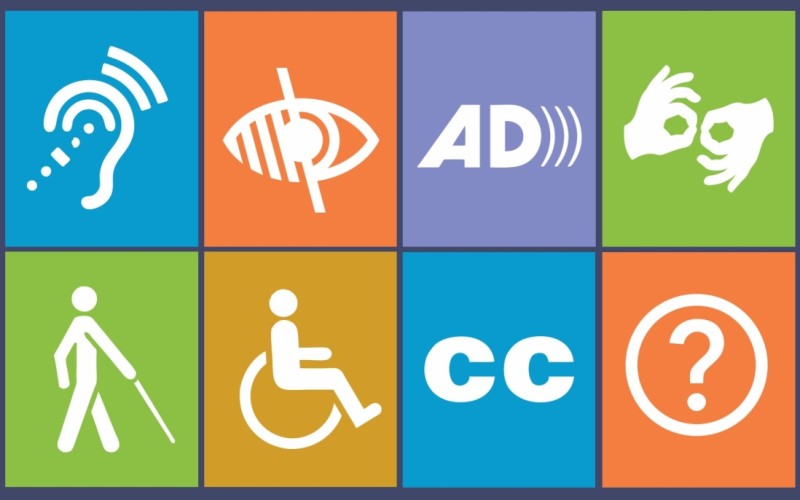
Web accessibility, at its core, is a commitment to breaking down digital barriers. It aims to ensure that websites and applications are designed and developed in a manner that allows everyone, regardless of ability or disability, to perceive, understand, navigate, and interact with the digital content seamlessly.
There are many different ways to test for Web Accessibility, and one very effective one is by using Chrome DevTools. Let’s dive right in.
Automated Testing with Lighthouse Accessibility Audit
A good first place to start your Accessibility testing journey is automated testing. Accessibility tests are build into Lighthouse, so at the same time you are running your performance tests, you can check Web Accessibility.
Be ware that automated tests don’t necessarily catch all the bugs and a perfect score doesn’t equal a perfect website, but it’s a great first start and catches a lot of issues already.
So let’s have a look at the Lighthouse test first. To get start the test:
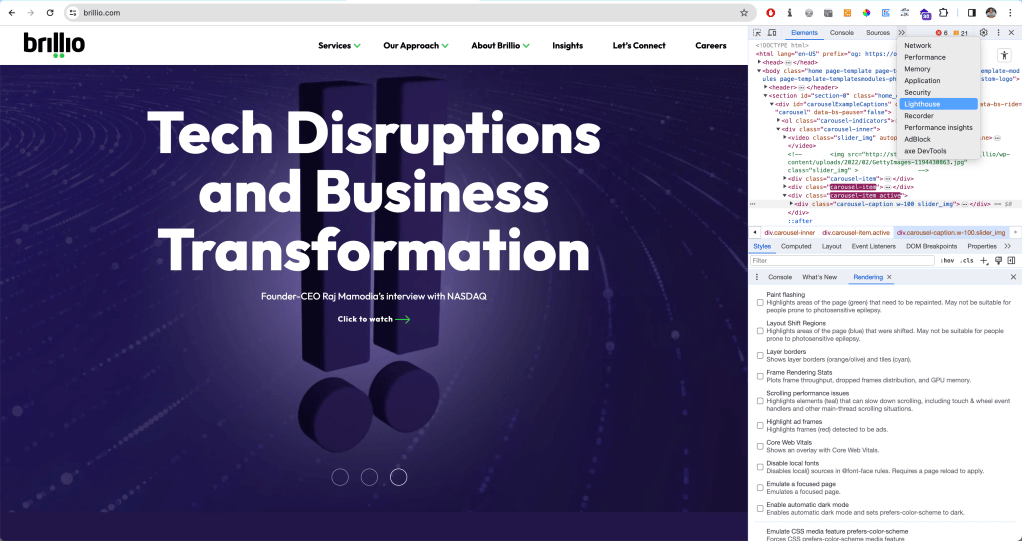
After opening up your DevTools
You might have to expand using the arrows >> for further options
Select Lighthouse test
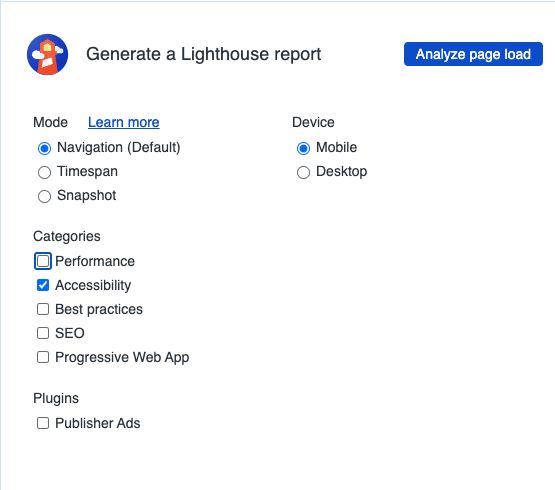
Next, select the tests you would like to run, you can also only opt for Accessibility Audit.
Opening up Lighthouse in the Chrome DevTools
Running an Accessibility Audit with Chrome DevTools
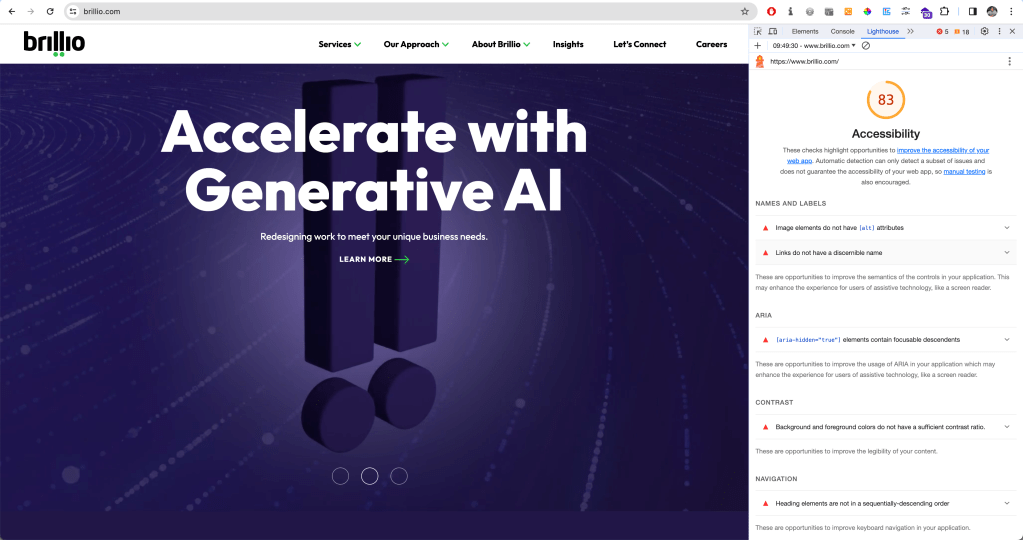
The audit will return a score out of 100 and include a list of all the accessibility issues that need to be fixed. For each issue, you will find additional information and further resources to find out more.
For the purposes of this article, I thought I’d test my organisation’s website brillio.com. Pretty good score for accessibility! :)
Lighthouse score for brillio.com with a list of accessibility issues and how to fix them
Among the most common issues are missing alternative text, empty links, or insufficient color contrast.
Manual Testing with Chrome DevTools
Once we are done with our Lighthouse test, we can have a look at our page by testing manually. There are many ways to do so, tools and extensions – and one of the ways is directly in the Chrome DevTools.
Accessing the Accessibility Pane in Chrome DevTools
In the Elements tab, at the bottom, there is a whole Accessibility Tab. To get there,
Select an element you would like to inspect.
Open the Elements Tab
At the bottom right, there is the Accessibility Pane. (Again, it might be hidden behind the >> arrows)
Open it up.
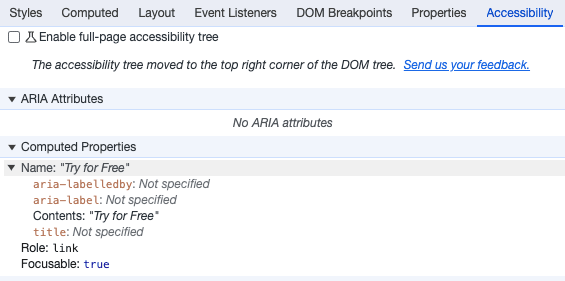
Here, you will find additional information about the ARIA labels, name, role, and computed properties.
We can even enable a full-page accessibility tree for our elements. By checking the corresponding box in the accessibility pane, a new icon with a figure will appear in your elements tab at the top right corner. You can toggle it to turn the accessibility tree view on and off. You might have to reload the DevTools to enable it.
With this view, you will get an overview of what a screen reader or assistive tech will work with: the accessibility tree. This enables you to investigate accessibility issues at the sources: Why is no label announced with a screen reader? How did the tab order get messed up?
Accessibility Context when inspecting Elements
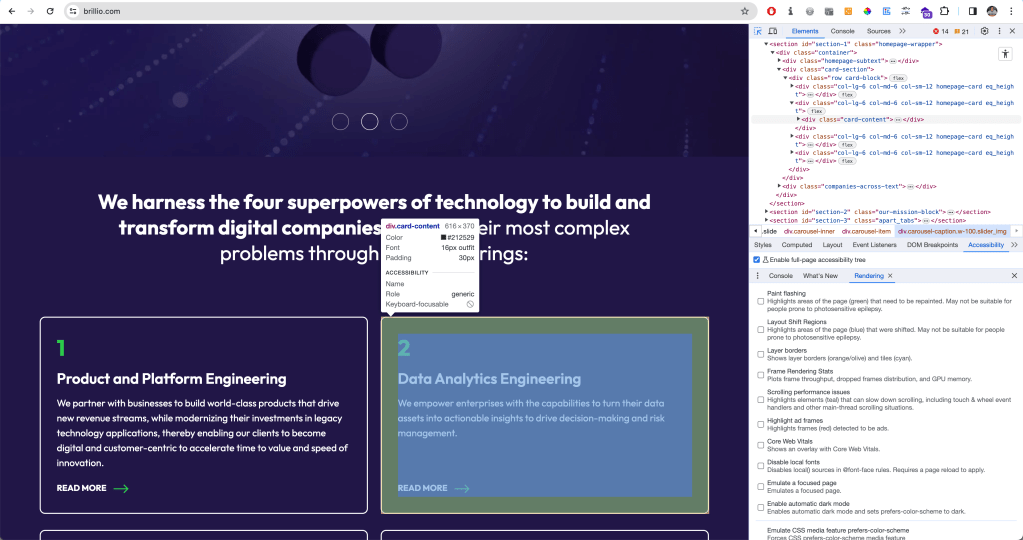
You can even see a lot of this information when inspecting elements by hovering over them. The tool tip will give information on color contrast, keyboard accessibility, name, and role at a glimpse.
Checking Color Contrast in Chrome DevTools
You can inspect the color contrast of a text element against the background within the DevTools. When you select the element and click the color code or example square in the Styles tab, a color picker opens up, letting you experiment with the color selection. It also provides a contrast ratio and a symbol to indicate whether your contrast ratio is sufficient (higher than 4.5:1 in compliance with WCAG AA standard).
Emulate Vision Deficiencies
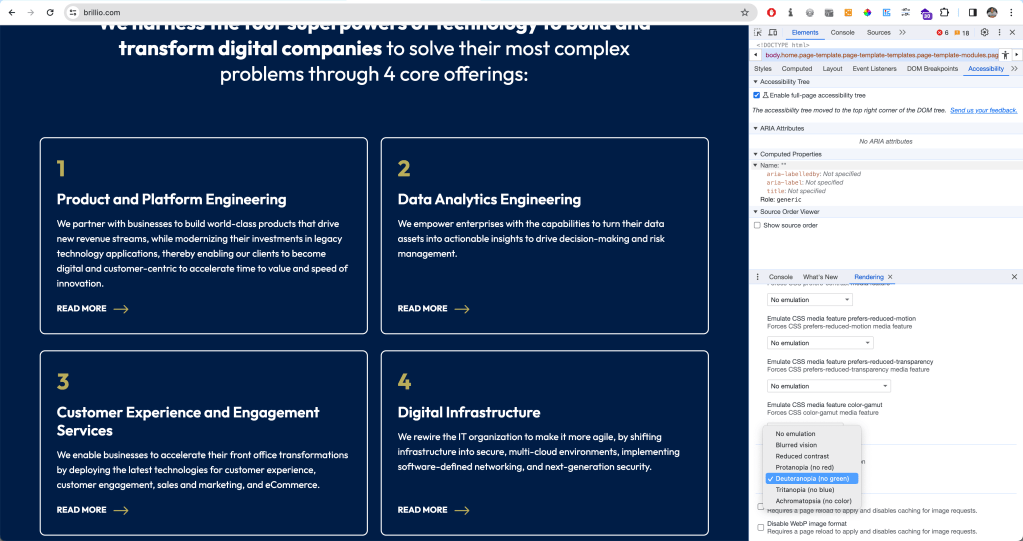
DevTools has a feature to emulate vision deficiencies such as blurred vision, reduced contrast, or red-green color blindness to the page you are currently visiting. To enable this, in your DevTools, press Cmd + Shift + P in the console ( or Ctrl + Shift + P on Windows) to open up the Command Menu. Select or type ‘Show Rendering’. All the way at the bottom, you will find the option to emulate vision deficiencies.
Emulating for users who have Deuteranopia, they can’t see green
Of course, this is not a 100% accurate representation of what a website might look like for different kinds of users – but it is a really good start to simulate different kinds of experiences.
Conclusion
Chrome DevTools offers a great way to test for Web Accessibility directly in the browser – without the need to use additional tools or install extensions. Is it the only way to test for accessibility? Absolutely not. But it’s a solid place to start. It offers both automated tests and options for manual testing, and you can get a lot of info about accessibility on the fly via the tooltip when inspecting an element.
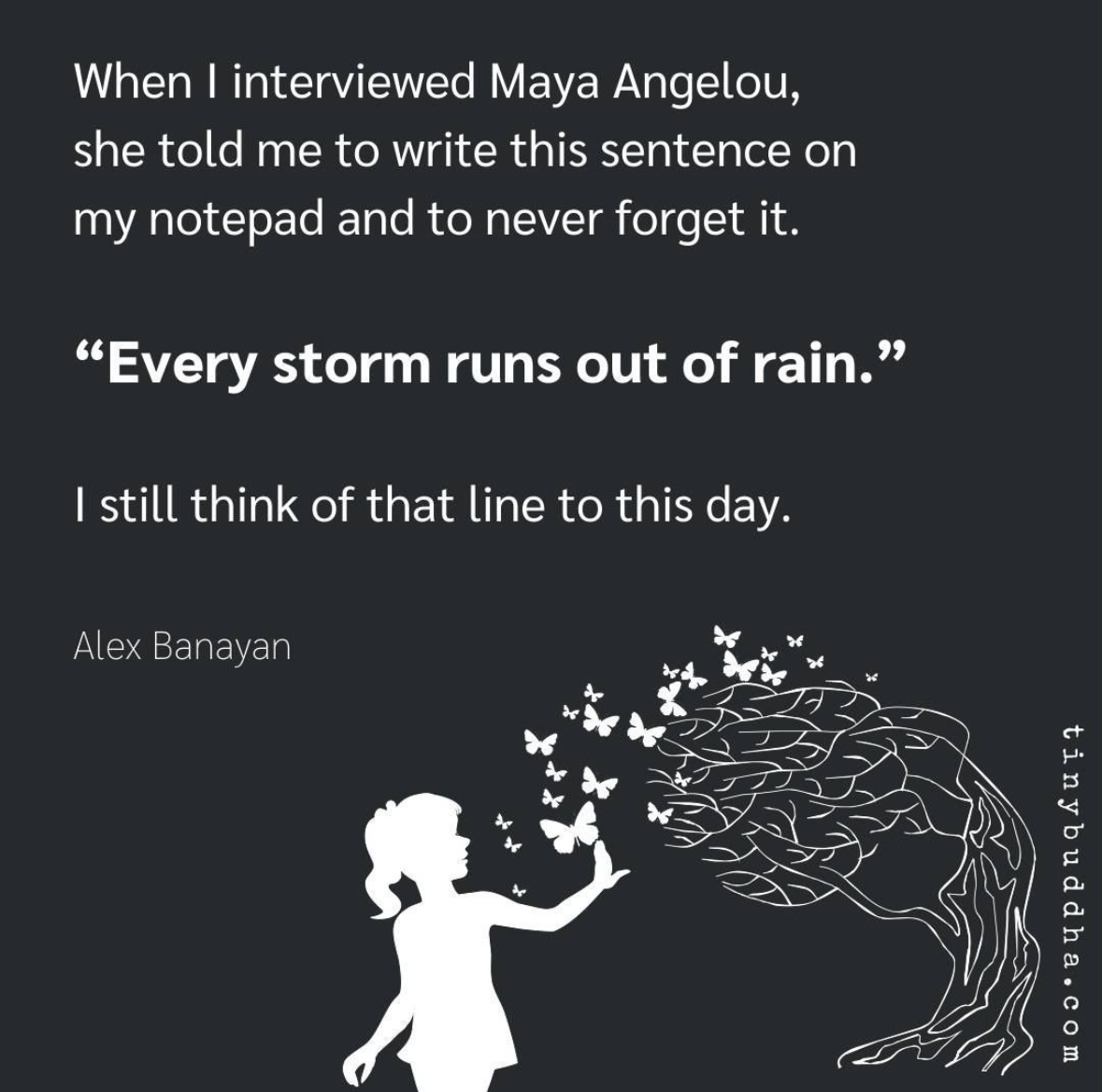
As we all know, life is a journey filled with ups and downs, challenges and triumphs. Throughout this journey, we often encounter storms – those difficult and tumultuous moments that seem insurmountable. Each of us have had our fair share of stormy weather. I saw this post on Instagram and the quote “Every storm runs out of rain,” reminded me that even the darkest of times will eventually pass.
This beautiful metaphor speaks to the transient nature of difficulties. Just as a storm cannot last forever, our troubles and hardships are not eternal. They may be powerful and overwhelming in the moment, but they, too, will come to an end.
The concept that “every storm runs out of rain” carries a universal message of resilience and endurance. It reminds us that our capacity to weather life’s challenges is far greater than we may believe. Just as nature endures storms and emerges more vibrant, we, too, can emerge stronger, wiser, and more appreciative of the beauty that follows adversity.
In our personal lives, we can apply this philosophy to difficult moments, knowing that they are temporary, and we will eventually find peace, happiness, and clarity. It encourages us to seek solace in the knowledge that change is a constant in life and that, even in the midst of turmoil, the sun will shine again.
“Every storm runs out of rain” is a powerful reminder of the impermanence of life’s challenges and the hope that follows adversity. It encourages us to persevere, adapt to change, and find strength in difficult times. It speaks to the resilience of the human spirit and the enduring power of hope. So, when you find yourself in the midst of a storm, remember that it will pass, and better days are on the horizon.
Here’s a song by Gary Allan on the same quote! (lyrics below!)
I saw you standing in the middle of the thunder and lightning I know you’re feeling like you just can’t win, but you’re trying It’s hard to keep on keepin’ on, when you’re being pushed around Don’t even know which way is up, you just keep spinning down, ’round, down
Every storm runs, runs out of rain Just like every dark night turns into day Every heartache will fade away Just like every storm runs, runs out of rain
So hold your head up and tell yourself that there’s something more And walk out that door Go find a new rose, don’t be afraid of the thorns ‘Cause we all have thorns Just put your feet up to the edge, put your face in the wind And when you fall back down, keep on rememberin’
Every storm runs, runs out of rain Just like every dark night turns into day Every heartache will fade away Just like every storm runs, runs out of rain
It’s gonna run out of pain It’s gonna run out of sting It’s gonna leave you alone It’s gonna set you free Set you free
Every storm runs, runs out of rain Just like every dark night turns into day Every heartache will fade away Just like every storm runs, runs out of rain
It’s gonna set you free It’s gonna run out of pain It’s gonna set you free
Today we complete 7 years since we said “I do” and it’s a little over 7 months since Keanah came into this world. My heart is filled with gratitude for the amazing journey we’ve been on so far. Biblically, the number 7 is often considered a symbol of completeness and perfection. And through the ups and downs, through the days and nights I’ve fought with the Lord, asking Him “Why Lord???”, as I look back today, I can definitely say that so far He has made things beautiful, perfect and complete in HIS time.
I thought today is a perfect opportunity to share our journey with you through 7 major miracles that tested and deepened my faith. Both Ana and myself were drawn to share our journey so that when Keanah grows up we have this to share with her without missing any details as to why we call her our miracle.
Miracle 1: Pain Our journey starts in June 2020 when we first conceived. We were so so happy, we had been trying for little less than a year. However, our hearts broke when we went for our ultrasound in the 7-8th week and heard no heartbeat. Our gynaec told us that it’s a blighted ovum and there’s nothing to worry. We then conceived again in April 2021. The challenging part this time was that I was down with Covid. Again, no heartbeat in the 7-8th week. We were really upset this time and the worst part is we had to deal with it alone for sometime as I was in isolation. Our gynaec made us do a full set of tests to figure out why the foetus wasn’t growing. We then got to know that Ana has a condition where her immunity is high. It was treating the foetus as a foreign body and hence attacking it. Why do I say this is a miracle? Well if not diagnosed, her high immunity would eventually lead to conditions like autoimmune diseases. It’s good we could deal with this now so that we don’t have to suffer with other catastrophic consequences.
Miracle 2: Conception In July 2022, we had decided to move to the US for a few years. Everyone kept asking me why aren’t you going there and it seemed like a good time to make the move. God had other plans!
On August 10, Mama’s birthday, Ana woke up feeling very sick. And then got even more cranky as she had planned to do a few things to celebrate her Mama’s birthday and now couldn’t do anything. Towards the afternoon, we did a test and got to know we’re pregnant! Our plan to move went out of the window and our focus now was solely on ensuring things go ahead with all that we learned from our past two experiences.
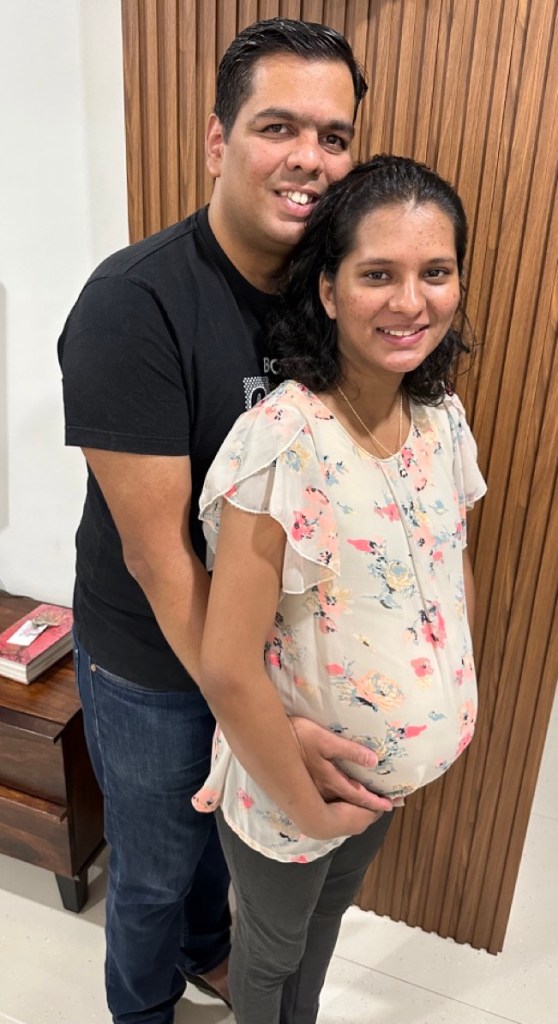
A few days after we got to know we are pregnant!
Miracle 3: Finding Dr. Payal Even though we started on all the medication as prescribed by our gynaec, when we went for the ultrasound in the sixth week, we didn’t hear the heartbeat. We visited our gynaec and we weren’t happy when we left her clinic.
Recently a new maternity hospital, Motherhood, had opened just near our place. So we decided to visit them for a second opinion. Since I could go only in the evening (because of work!), we saw Dr. Payal available. I quickly checked online and saw good reviews about her. When we met her, both Ana and I immediately felt she is so much like my sister Melanie. At once we felt at home and comfortable with her.
We spent over 45 minutes explaining to her everything. She patiently and calmly listened to us. And told us to continue the medication and do the ultrasound again on 1 September. When we left her cabin we both knew that this is the doctor who we would love to continue with. She made us feel understood, answered all our questions so well and assured us that we’re in the right hands. I don’t think we’ve ever had such an experience with a doctor. It was different, felt perfect for us and we both trusted her completely. We don’t know what we would have done without her and her ever positive attitude. She played an important part in our journey and words aren’t enough to make anyone understand how much she means to the both of us.
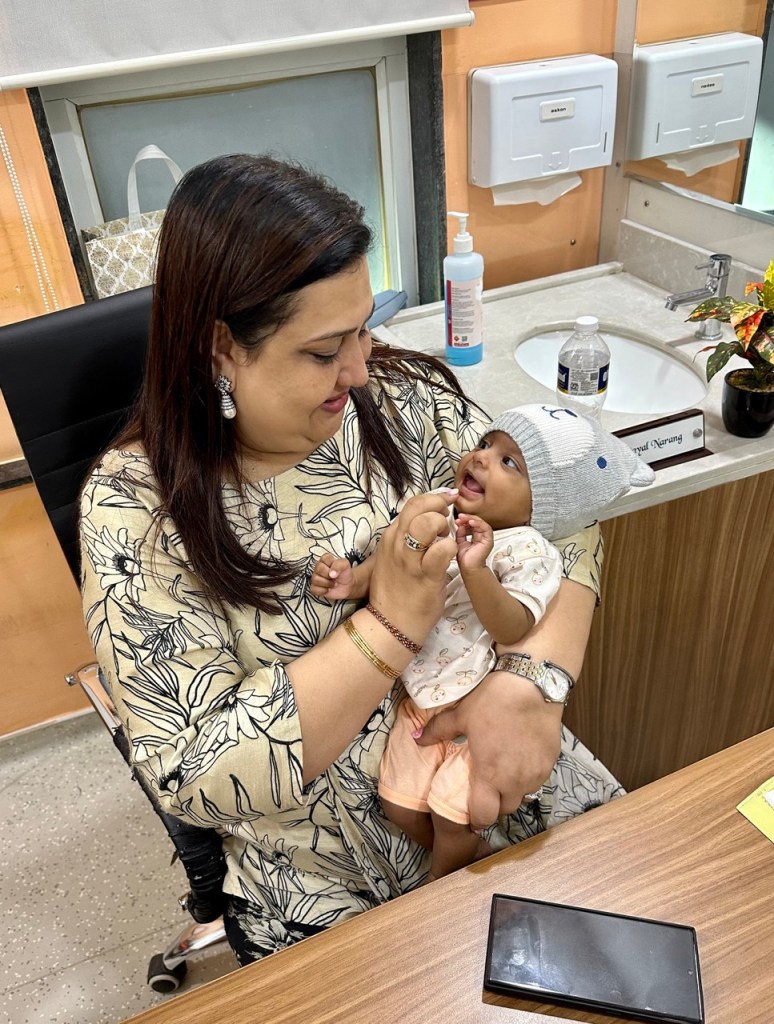
Dr. Payal with Keanah
Miracle 4: The Heartbeat On 1 September we went for the ultrasound. We’ve been for 6 ultrasounds before this one and I knew Ana was nervous, scared and tensed. I was a wreck too but I had to appear strong for her, being positive. Before leaving I had a quick chat with Shweta, my work colleague who has become a very close friend. She told me “I’m praying, I know everything will go well this time and I want a girl!”
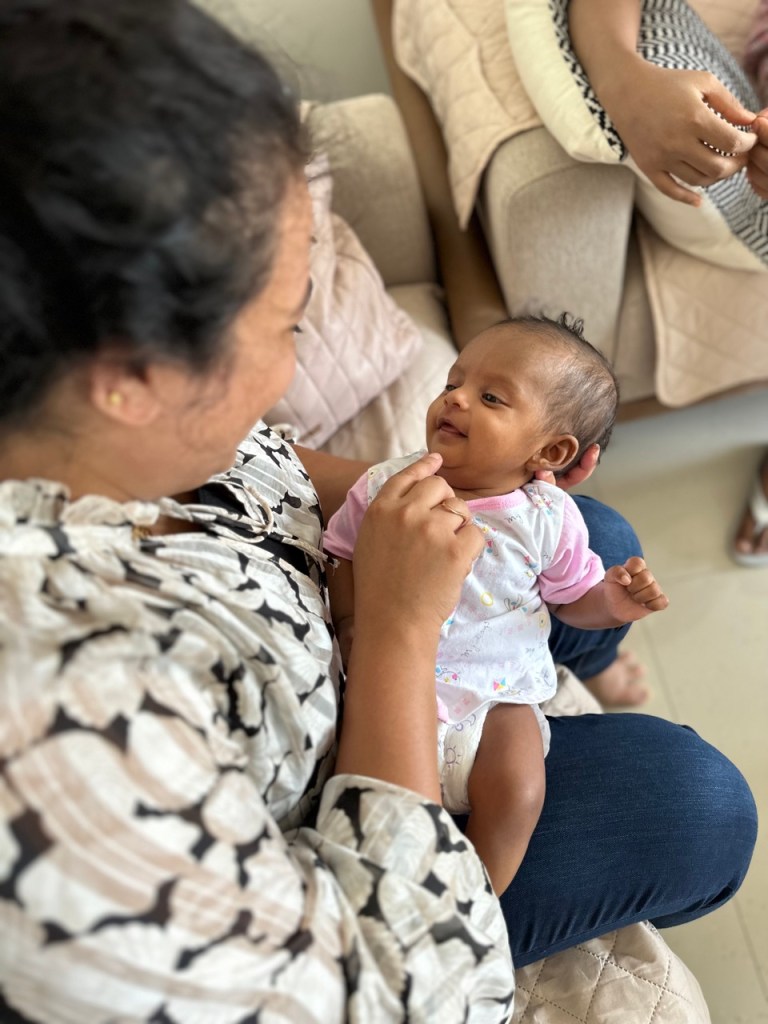
Shweta with Keanah
Ana went in for the ultrasound at Motherhood and my heart was in my mouth when the nurse came out in a matter of minutes. I then realised she came to call me in as well. This was the first time I’d be in the room for the ultrasound. The previous ones, at other hospitals, didn’t allow me in.
When the Dr started, we heard the heartbeat for the very first time. It was music to my ears, the best thing I had ever heard till date. Tears rolled down my face with joy and I almost jumped off my stool to hug the doctor! We were over the moon!
The tough part was from then till February, Ana had to take injections everyday along with blood thinners to help ensure there’s good blood supply going to the foetus. The daily injections changed to alternate days after November. Giving those injections every time with a brave face is definitely one of the most difficult things I’ve had to do, but Ana had to endure much more, bearing all that pain in addition to all the changes taking place in her body with the baby growing inside her. It’s amazing how situations bring out so much strength that we have within us.
Miracle 5: Special? Of course! In mid-October our gynaec sent us for our NT scan. It’s a test where the nuchal fluid behind the baby’s neck is measured. A high level indicates that there’s a 80% chance of your baby having genetic defects like Down syndrome. Our hearts broke when we saw our reading. It was 3.92, whereas the normal is not more than 2.5. We were so upset. And when our gynaec said this is the highest she’s ever seen, I was a mess. We cried bitterly when we returned. That period is probably the most I’ve fought with God. Why all this when we do so much for you and the church? Why!?
I wasn’t happy with the test, so Dr. Payal sent us to one of the best fetal specialists in Pune, Dr. Pooja Lodha. Our appointment was at 1pm but we finally went in at around 4pm. The NT this time was 2.6, still high. But again, Dr. Pooja took her time to explain everything to us in great detail. We had two issues, one where the pressure at the artery supplying blood to baby was high. And secondly there were multiple fibroids. She said it’ll be a miracle if we have a normal delivery.
Dr. Pooja is definitely a gem of a person and absolutely fantastic at what she does. Again we were blessed with the best. What we loved the most are the lovely pics she shared of baby at almost every visit of ours.
Chilling in the wombFingers in the mouth
Since the level was still high Dr. Payal then told us that since this scan is only 80% accurate and could also be a false positive, there are additional tests. The most accurate one is where they extract fluid from the foetus to test. It’s a risky procedure with a chance of miscarriage. I then asked her what is the point of doing all these tests. Anyway it’s a genetic issue and there’s nothing we with can do. So she replied that if we’re sure it’s a genetic issue you have the option to abort. I immediately told her there’s no way we’re aborting this baby. We’ve struggled to get here and we will accept it. It’s a gift from God. And moreover our religion doesn’t allow us to abort. So she still advised us to do the tests as we will have peace of mind if it’s all good, rather than stressing for the remaining 6 months wondering what’s going to happen.
We came home, discussed with each other and with our immediate family. Ana and I then decided that we won’t do the tests. We had already done enough of tests so far and we trusted God completely. The miracle? We did the genetic tests after Keanah was born and the reports came back completely normal! When we shared this with Dr. Payal, she told us the whole team at Motherhood rejoiced when they heard about the report. She then smiled and added “good comes to those who do good”
Miracle 6: Amniotic Cocktail In February, at 32 weeks, we did our ultrasound with Dr. Pooja followed by our visit to Dr. Payal. We got a little startled when Dr said that Ana needs to get admitted as the amniotic fluid level is very low. It’s 5 whereas it’s supposed to be 15. After Ana got admitted Dr told me that if the levels don’t come up we will have to deliver immediately. However, Ana was on blood thinners and injections till that point. We needed her to be off them for at least 6-7 days before we can operate her. Miraculously the high pressure at the artery connecting the foetus was normal for the first time ever! If that was still high we would have had one more complication to deal with. Ana was given drips to increase her amniotic fluid. The fluid was thick and the drips were very painful.
That evening I came home for a quick bath and to collect a few things. I fell to my knees and begged God to bring up the amniotic levels. That’s the best outcome for us. Thankfully it went up to 10 over the next 3-4 days. We were so relieved. However we had to go back every alternate day to get those extremely painful amniotic cocktails to maintain the fluid levels. I don’t understand how Ana had the strength to put on a brave face through it all.
Miracle 7: 26 March We visited Dr. Payal at our 36 week mark and she said baby is doing well, why do you want to suffer with those painful drips any longer? Baby is ready, let’s admit Ana on 25th late night and try inducing. By morning if we’re not successful, we will do a c-section. We weren’t expecting it to be so soon. I remember talking to my cousin Neisha about a few things regarding the delivery just before we got to know it’s going to happen in a matter of hours!
Before we left for the hospital, 25 March 2023
At midnight we got admitted to Motherhood. And just as Ana entered the labour room, she went naturally into labour. Dr. Payal who was with Ana said “baby also knew that it’s time to come out!” After around 11 hours, Keanah was born, natural delivery, a miracle in Dr. Pooja’s words! And Shweta’s wish was answered, she got her girl! 😊
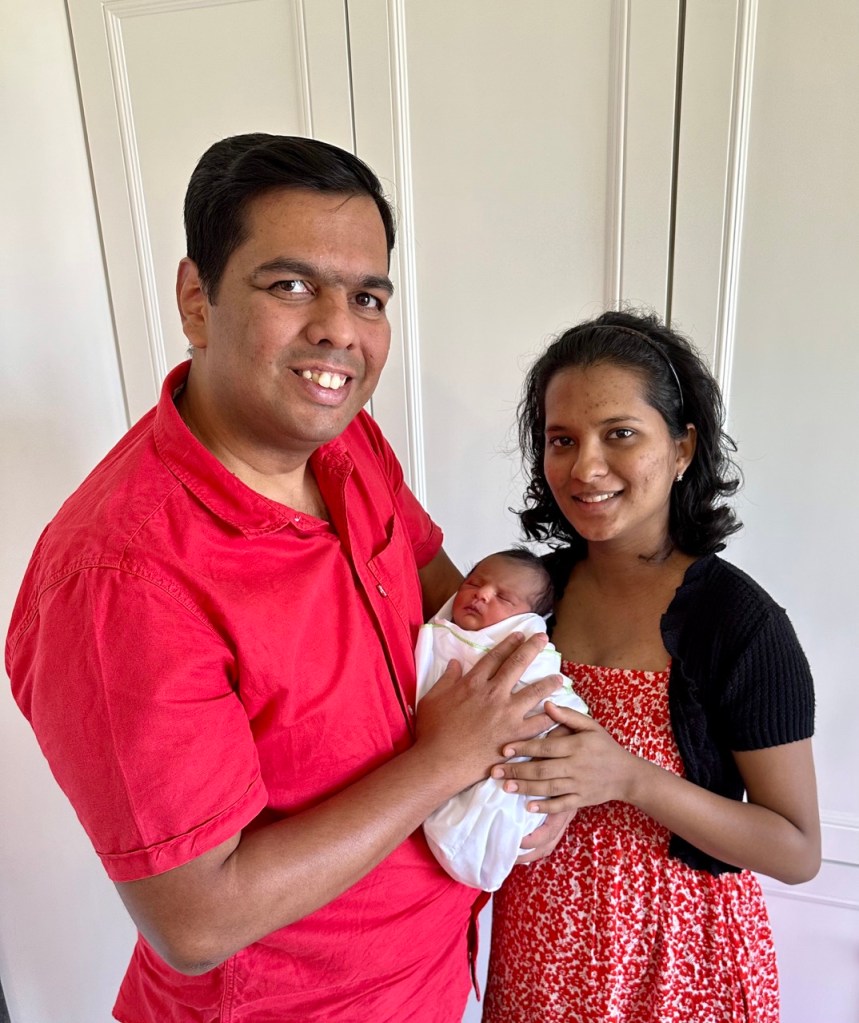
With her grandparentsFirst day at homeOur first family picFirst time I met Keanah
Many who were present at Keanah’s baptism heard us singing Michael Buble’s “Forever now”. And both Ana and I were very emotional. I was overwhelmed with emotions as I sang the lines “you’ve got so much strength inside you, a strength we pray you’ll never need”. After all we had gone through, these words just meant a lot, we identified so strongly with them. We wouldn’t want Keanah or anyone to have these experiences. And yet we’re so grateful because this journey has definitely strengthened our relationship with each other and more importantly with God.
Thank you Nihal for capturing this :)
Even though the journey has been something I was never prepared for, He made sure that He sent his angels to take care of us. Our families have been our strongest pillars of strength through it all, they stormed heaven with their prayers and have been with us at every step of the way. Dr. Payal and Dr. Pooja were heaven sent, came in at the right time when we needed them the most and hence we always knew we were in the best of hands always. So many of our family and friends showed up when we needed them the most. The community at Mount Carmel’s and our priests at our parish along with our Sunday school teachers and choir kids prayed fervently for us, we’re eternally grateful to all of them for their prayers. It’s amazing how much love, prayers and support we’ve been showered with on this journey.
The view of Mount Carmels (Ana’s alma mater) from Motherhood
As we hold our precious little Keanah in our arms, we are filled with gratitude for the incredible journey that brought us to where we are today. The challenges and triumphs along the way have made this experience all the more profound and beautiful. Our hearts are full, and we can’t wait to embrace the adventure that lies ahead as a family. This miraculous journey has just begun, and we are eager to see where it takes us.
I had the MOST AMAZING mass ever! Probably the best mass I’ve ever attended. I can’t recall feeling like this ever.
Firstly I was reluctant to get out as it was raining. But then I said cmon, let’s go. And when I entered the church ⛪️ there was a full band practicing and they sounded so good. Grand piano 🎹 , bass, acoustic guitar 🎸 , drummer 🥁 and 🪘
I reached at 4:10pm, had to wait 20 minutes. I was so surprised to see the church packed, mostly Americans, few Asians, Mexicans. The main celebrant was a young priest and it was the youth mass. Hearing everyone join the choir for all the hymns was so amazing. The girl next to me was singing such good seconds. I wasn’t sure if I should take out my phone to record.
The homily was so touching, he explained so beautifully why we reach out to those in need, why the church goes beyond the four walls of the church.
When I saw the offertory hymn I couldn’t resist, I recorded from then..the hymn was the one that I based my last session for the youth on, “Goodness of God”
Every week a family does the offertory and they also are offered the blood of Christ to consume after communion.
Then before the final blessing they had a testimony from a 16 year old girl on how she her life changed when she attended an adoration organised for middle school kids, now she is part of the catechism team for the smaller kids.
What touched me deeply is how they greet everyone at the start of mass and at peace. All their responses are slow and said very devoutly. The altar servers, ushers (the youth!) and the Eucharistic ministers were on point, devoutly doing their duties. And then how joyfully everyone comes for communion. It’s everything I always imagined mass should be, a devout joyful experience! ❤️
We always hear the church is dead/dying here in the US, but this mass was the most alive I’ve ever seen our church and catholics!
Can’t wait to go again for all saints day and next Sunday!
I was thanking the lord for such a heavenly experience, but there was still one more surprise, my Uber back to the hotel was a Tesla! Sat in the latest Model 3! ❤️